
From conversations to finished work
Think about what happens after an important meeting right now. You have a transcript, and an AI summary with the full context. Next, you open another tool, start a new document, and spend the next stretch of time turning what Plaud gave you into something you can actually send or share.
The next generation of Plaud Intelligence is built to close that gap. What comes out is a finished output, ready to share.
We heard you
You needed to find the right conversation without remembering where it was saved, native integration with tools you work with, and you needed your recordings to produce something useful without another round of manual work. We took that seriously, and we went further, because we believed something more advanced was possible.
Plaud Agent

At the center of this release is Plaud Agent. Give it a task and it sees it through. It draws on the right context from your conversations, produces a finished output in the format you need, and delivers it where it needs to go.
Connectors
Plaud Agent works with the tools your team already uses. Connect Google Calendar, Slack, Notion, Linear, or Zapier, and Agent can pull context from your calendar, post updates to Slack, or push finished work directly to where your team operates. For sales teams using Plaud Team, notes will also flow directly into Salesforce from Plaud.
Artifacts
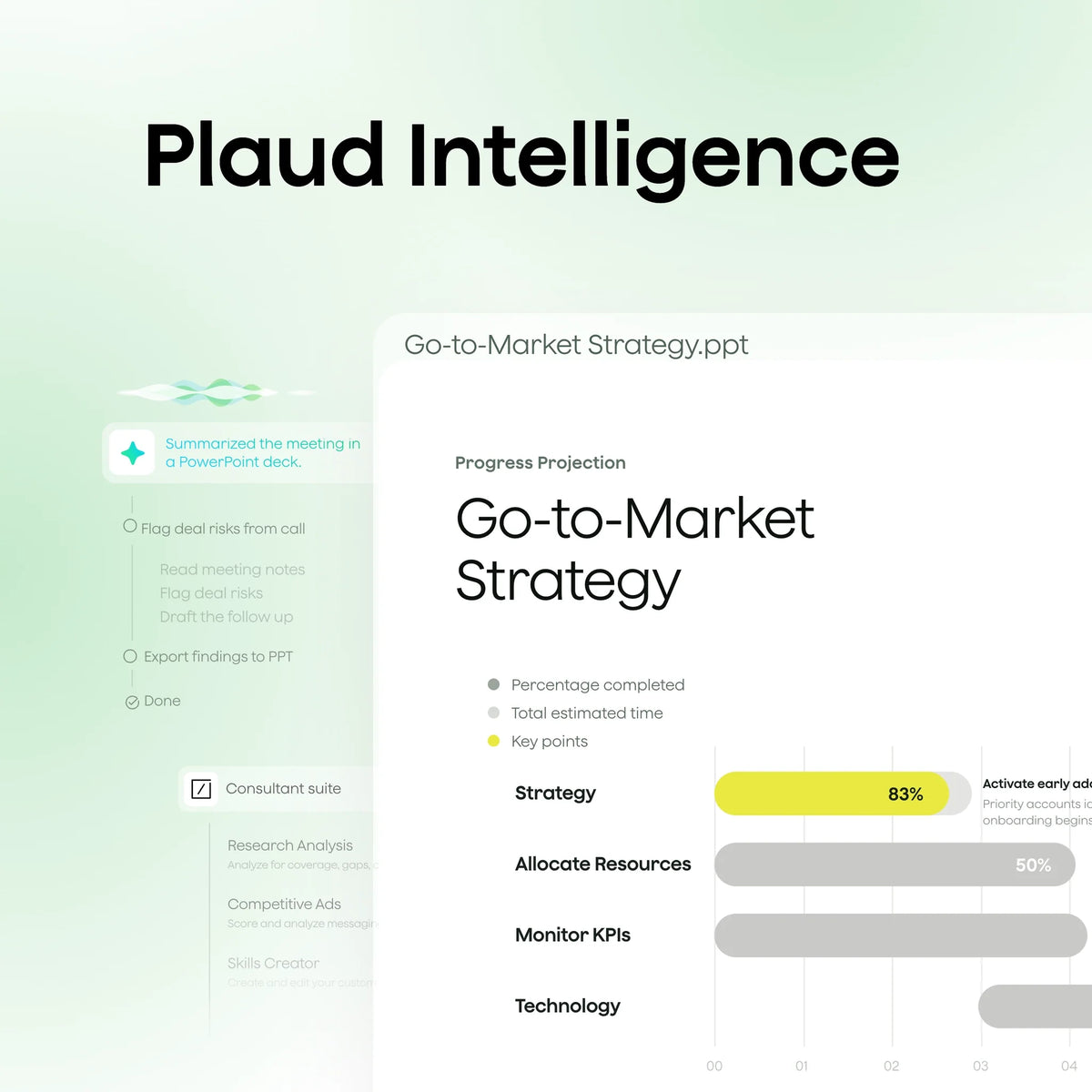
Instead of just handing you a summary, Plaud Agent can go further to produce finished documents ready to share. A client debrief as a PDF. A project update as a PPTX. A structured brief in DOCX or Markdown. Everything grounded in the actual conversations that informed it.
Skills
Skills are custom instructions for Plaud Agent. Tell it exactly how you want a task handled, and it follows those instructions every time. Build your own, or start from Plaud's ready-to-use library. Teams will also be able build Shared Team Skills that everyone in the Team workspace can use, turning every member into a power user.
Routines
Routines let you automate recurring tasks. Set a condition, describe what you want Agent to do, and it runs automatically every time that condition is met.
You finish a client call. Plaud Agent produces a finished PPTX debrief and posts a summary to your project channel in Slack. You just need to review and send.
An interface redesigned for the Agentic era

Everything you've captured is organised by time and event, so finding the right conversation takes seconds. When Agent is working, you see it happening in real time, a live view of intelligence turning your conversations into finished work.
What you get
You get more from every conversation you record. A knowledge base built to make every recording easy to find and navigate. Outputs that are finished and ready to use. Workflows that run without you managing them. An AI that does the work between what was said and what you actually need.
For Plaud Team customers, every member of your team gets access to everything in Plaud Intelligence, with the addition of shared Skills and shared context. Your whole team can automate their work with the same best practices and full conversational context, not just individual recordings.
Experience it for yourself this October.
Frequently asked questions
Will my existing recordings and data still be there after I update?
Yes. Updating the app does not remove or change any of your existing recordings, transcripts, or summaries. Everything you have captured carries over automatically to the new Knowledge base view.
Do I need to create a new account, or sign in differently?
No. Sign in the same way you always have. Whether you use Apple ID, Google, or email, your account, recordings, and plan all carry over automatically. Nothing resets.
Is there anything I should do before updating?
One thing: if you have a recording in progress or a file transfer running, let it finish before you update. Upgrading mid-transfer can interrupt it. Everything else carries over automatically once you update.
Is my data private? Can anyone else access my recordings?
Your recordings are private to you. Plaud does not share your recordings with other users. For Plaud Team customers, recordings are shared only within your designated team workspace if you choose to. Plaud is GDPR, HIPAA, SOC 2, ISO 27001, ISO 27701, and EN 18031 compliant.

- Smart dual-mode: Auto detects calls and in-person conversations.
- Pro performance: 0.12 in thin, 5 m pickup, 30 hours recording,

- Versatile options: Wear it as a lanyard, wristband, clip, or pin.
- Lightweight: 0.61 oz, 20 hours recording, 64GB storage.

- Dual-mode recording: Capture calls and in-person conversations.
- Ultra-thin: 0.12 in, 30 hours recording, 64GB storage.

- Versatile options: Wear it as a lanyard, wristband, clip, or pin.
- Lightweight: 0.61 oz, 20 hours recording, 64GB storage.