Un día típico para un médico de cabecera se ve algo así: tres citas presenciales antes del almuerzo, dos videoconsultas de telesalud después, un puñado de llamadas telefónicas de seguimiento encajadas en los huecos, y luego una hora (o dos) de registro después de que el último paciente se desconecta. Según un estudio de 2016 ampliamente citado publicado en los Annals of Internal Medicine, los médicos dedican casi dos horas a la documentación de la HCE por cada hora de atención directa al paciente. Para los médicos de cabecera que dirigen consultas híbridas donde las visitas presenciales y las consultas virtuales se alternan a lo largo del día, la carga de la documentación es aún mayor porque el flujo de trabajo nunca se asienta en un solo ritmo.
He probado cinco herramientas de toma de notas con IA durante el último año con una pregunta específica en mente: ¿cuáles realmente reducen el tiempo de registro para un médico de cabecera que alterna entre encuentros en la sala de examen, visitas por video y seguimientos telefónicos varias veces al día? La respuesta depende de dónde se encuentre su mayor cuello de botella en la documentación, y de si el cumplimiento, el formato clínico o la cobertura del flujo de trabajo son lo más importante para su consulta.
Cómo elegimos los mejores tomadores de notas de IA para telesalud y llamadas médicas en 2026
Evaluar los tomadores de notas de IA para uso clínico requiere una lente diferente a la de revisar herramientas para reuniones de negocios. Un elemento de acción perdido en una actualización de proyecto es un inconveniente. Una mención inexacta de medicamentos en una nota clínica es un problema de seguridad del paciente. Los criterios de evaluación a continuación reflejan las demandas específicas de la documentación médica en un entorno de práctica híbrida.
Cómo el doble desafío: En persona más telesalud
La mayoría de las herramientas de toma de notas con IA fueron creadas para una sola modalidad. Los escribas clínicos ambientales como Nuance DAX fueron diseñados para encuentros en persona, escuchando a través de un micrófono en la sala de examen. Los grabadores de reuniones virtuales como Otter.ai fueron diseñados para videollamadas, uniéndose como participante en Zoom o Teams. Muy pocas herramientas manejan ambas modalidades bien, y esa brecha crea un problema real para los médicos de cabecera que ven a un paciente en la sala de examen a las 10:00 AM, realizan un seguimiento por video a las 10:30, y hacen una llamada telefónica a un especialista a las 10:45.
Cuando utiliza una herramienta para visitas en persona y una herramienta diferente para telesalud, termina con documentación fragmentada. Las notas residen en diferentes sistemas, el formato es inconsistente y el tiempo dedicado a cambiar entre herramientas se acumula a lo largo de un día completo de clínica. La solución ideal captura audio de cualquier tipo de encuentro (cara a cara, video, teléfono) y produce una nota clínica consistente, independientemente de cómo se haya producido la conversación.
Las 3 variables de decisión
Después de meses de pruebas en diferentes configuraciones de práctica, tres variables determinaron consistentemente si una herramienta realmente ahorraba tiempo o simplemente trasladaba la carga de la documentación de un paso a otro:
Cobertura en persona y telesalud. ¿Puede la herramienta grabar y transcribir tanto conversaciones en la sala de examen como visitas virtuales? Una herramienta que solo cubre videollamadas deja sin documentar sus encuentros en persona. Una herramienta que solo funciona con un micrófono de sala no puede capturar sus sesiones de telesalud. Para los médicos de cabecera híbridos, la cobertura en ambas modalidades es el primer filtro.
Cumplimiento Médico. ¿Cumple la herramienta con los requisitos reglamentarios específicos de la atención médica? Como mínimo, esto significa un manejo de datos que cumpla con la HIPAA, cifrado en reposo y en tránsito, un Acuerdo de Asociado Comercial (BAA) y políticas claras de retención de datos. Algunas herramientas van más allá con la certificación SOC2, el cumplimiento regional (PIPEDA en Canadá, GDPR en Europa) y las capacidades de auditoría. En contextos clínicos, el cumplimiento no es opcional; es el prerrequisito para siquiera considerar una herramienta.
Automatización de la Documentación Clínica. ¿Cuánto trabajo de registro realiza realmente la IA? El espectro abarca desde la transcripción básica (se obtiene una versión en texto de lo que se dijo) hasta notas clínicas completamente estructuradas (la IA genera una nota SOAP con secciones de evaluación y plan completas). Cuanto más avanzada esté una herramienta en ese espectro, más tiempo de registro eliminará. Pero la automatización sin precisión crea un problema diferente: las notas que debe editar exhaustivamente antes de firmar no le ahorran tiempo.
Aquí tienes una tabla de referencia rápida basada en estas tres variables:
|
Herramienta |
Funciona bien cuando |
Se queda corta cuando |
Ideal para |
|
Plaud Note Pro |
Necesita un único dispositivo que grabe encuentros tanto en persona como de telesalud con cifrado fuerte |
Necesita integración directa con la HCE o documentación ambiental en tiempo real |
Médicos de cabecera híbridos que desean grabaciones consistentes y seguras en todos los tipos de encuentros |
|
Plaud Note |
Los seguimientos telefónicos y las llamadas de telesalud son su principal brecha de documentación |
Necesita una captación de sonido de calidad profesional para visitas en persona |
Médicos independientes centrados en la documentación de encuentros telefónicos y por video |
|
Nuance DAX Copilot |
Desea notas clínicas ambientales totalmente automatizadas integradas directamente en su HCE |
Realiza muchos encuentros solo por teléfono o necesita capacidad de grabación sin conexión |
Grandes consultorios y sistemas de salud que ya utilizan la infraestructura de Microsoft/Nuance |
|
Nabla |
Desea un asistente de IA ligero para visitas de telesalud con una rápida generación de notas clínicas |
Necesita cobertura para encuentros en persona o trabaja fuera de las plataformas de HCE compatibles |
Consultorios con gran volumen de telesalud que desean borradores rápidos de notas clínicas |
|
Otter.ai |
Necesita transcripción asequible para consultas virtuales y reuniones de equipo |
Se requiere cumplimiento de HIPAA, formato de notas clínicas o grabación en persona |
Médicos que principalmente necesitan transcripciones buscables de consultas por video |
Las 5 mejores herramientas de IA para tomar notas en telemedicina y llamadas médicas

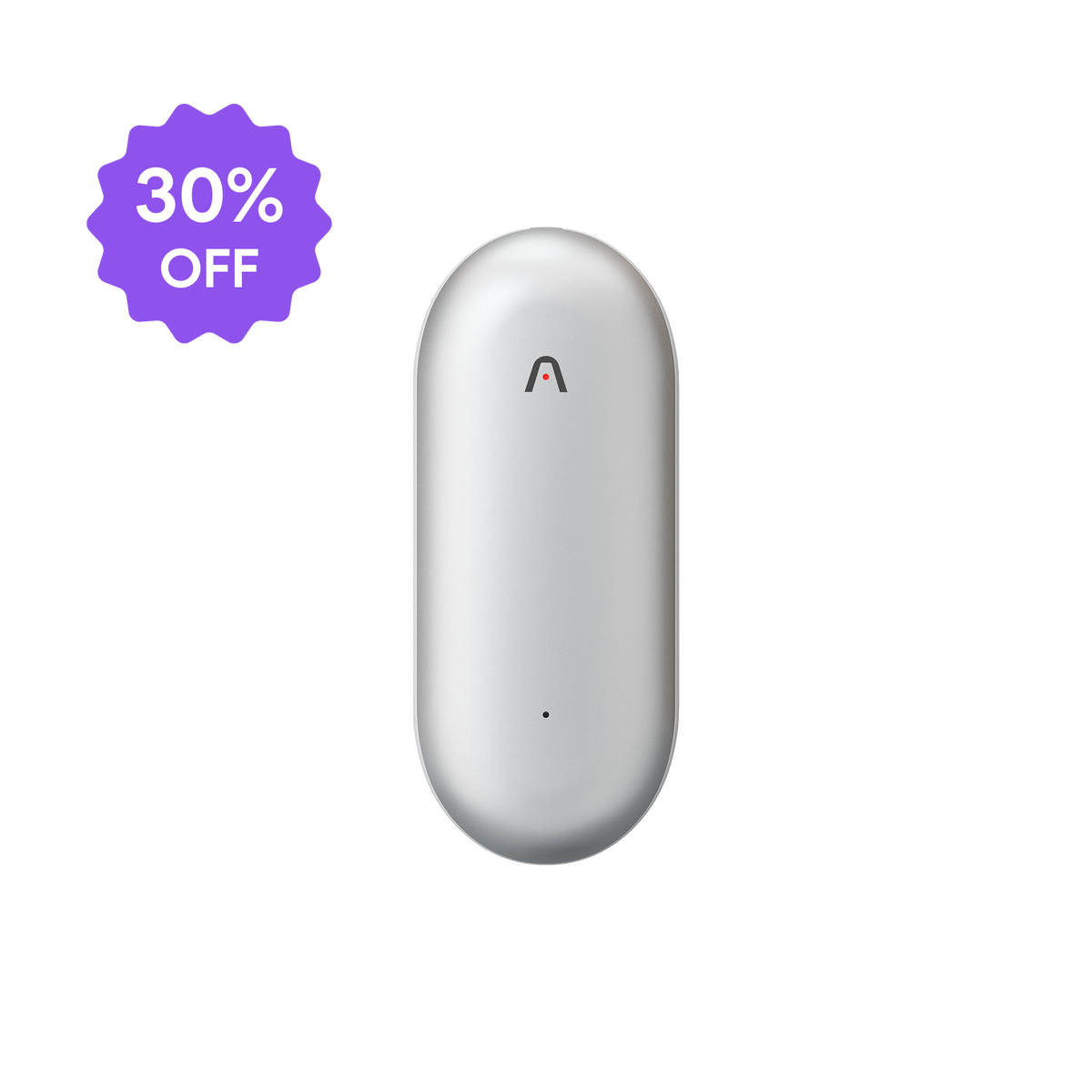
1. Plaud Note Pro: Un dispositivo para sala de examen, video y llamadas telefónicas
El desafío principal para los médicos de cabecera híbridos es la fragmentación del flujo de trabajo: una herramienta para la sala de examen, otra para Zoom, una tercera para llamadas telefónicas. Plaud Note Pro resuelve esto proporcionando un único dispositivo de grabación que funciona en las tres modalidades, produciendo notas consistentes generadas por IA, independientemente de cómo haya ocurrido el encuentro.
Por qué funciona para la práctica médica híbrida
En la sala de examen, el rango de captación de 5 metros (16.4 pies) de Plaud Note Pro captura una conversación completa del paciente sin necesidad de una colocación precisa del micrófono. Puede colocar el dispositivo en su escritorio, en el bolsillo de su bata o sujeto a un cordón, y grabará un audio claro desde toda la habitación. Esto es importante en la práctica porque la grabación ambiental debe ser invisible para mantener la dinámica paciente-médico. Un dispositivo que requiere que lo sostenga o lo posicione cuidadosamente entre usted y el paciente introduce una fricción que se acumula en 20 encuentros al día.
Para las videollamadas de telesalud, Plaud Note Pro captura el audio de su computadora. Para los seguimientos telefónicos, graba la llamada directamente. El resultado es que cada encuentro, independientemente de la modalidad, entra en la misma canalización de procesamiento de IA. No necesita aprender tres herramientas diferentes o conciliar notas de tres sistemas diferentes.
La duración de la batería de 50 horas no es una característica de lujo en este contexto; es un requisito del flujo de trabajo. Un médico de cabecera que atiende a pacientes de 8 AM a 5 PM no puede permitirse una herramienta que se agote a las 2 PM. Plaud Note Pro funciona durante aproximadamente 5 a 6 días completos de clínica con una sola carga, lo que significa que la carga se convierte en un hábito semanal en lugar de una ansiedad diaria.
Después del encuentro, el motor de transcripción de Plaud.AI procesa la grabación con identificación del hablante en más de 100 idiomas. Para consultorios multilingües o comunidades donde los pacientes cambian de idioma durante el encuentro, esta capacidad evita el problema de "segmentos no transcritos" que producen las herramientas monolingües.
La función de plantilla personalizada es donde Plaud Note Pro se convierte en una herramienta de documentación clínica en lugar de solo una grabadora. Puede crear plantillas que generen notas estructuradas que coincidan con su formato de registro: motivo de consulta, historial de la enfermedad actual, revisión de sistemas, evaluación y plan. Las más de 30 plantillas integradas proporcionan puntos de partida, y la capa de personalización le permite refinar la salida para que coincida con los campos específicos de su HCE. La función Preguntar a Plaud permite consultas entre encuentros ("¿Qué medicamentos ha mencionado este paciente en las últimas tres visitas?"), lo cual es útil durante las revisiones de expedientes y la planificación de la atención.
La arquitectura de seguridad incluye cifrado AES-256 y certificación SOC2 Tipo II. El Centro de Confianza de Plaud documenta el marco de cumplimiento completo. Para los médicos de cabecera que necesitan demostrar prácticas de manejo de datos durante las auditorías de cumplimiento, esta documentación proporciona una referencia clara.
Los planes de membresía de IA se escalan con el volumen de la práctica. El plan Pro a 8,33 $/mes (facturado anualmente) proporciona 1.200 minutos de transcripción por usuario, cubriendo aproximadamente 20 encuentros de una hora o 60 visitas de veinte minutos. El plan Ilimitado a 19,99 $/mes (anual) ofrece 6.000 minutos, lo que permite a las prácticas de alto volumen trabajar cómodamente.
Dónde Plaud Note Pro NO es la mejor opción
Plaud Note Pro no se integra directamente con sistemas de HCE como Epic, Cerner o Athenahealth. El flujo de trabajo implica generar una nota en la aplicación Plaud y luego transferirla a su HCE (copiar-pegar, exportar o mediante integraciones de AutoFlow). Para los médicos que desean una experiencia totalmente ambiental donde la IA escribe directamente en la historia clínica, una herramienta como Nuance DAX Copilot ofrece esa integración más profunda. Plaud Note Pro tampoco proporciona paneles de gestión de equipos o análisis multi-proveedor, que las prácticas de grupo más grandes pueden requerir.

2. Plaud Note: La solución portátil para seguimientos telefónicos y llamadas de telesalud
No todos los médicos de cabecera necesitan una captación de sonido de calidad profesional. Para los médicos cuya principal brecha en la documentación son los seguimientos telefónicos y las videollamadas de telesalud, Plaud Note ofrece el mismo procesamiento de IA en un paquete más compacto y asequible.
Por qué funciona para la documentación centrada en la telesalud
Plaud Note ofrece un punto de entrada práctico para médicos que desean documentación asistida por IA sin una mayor inversión en hardware. El diseño de modo dual maneja tanto la grabación de llamadas telefónicas (se conecta al teléfono) como la grabación cara a cara (se coloca en el escritorio), cubriendo los dos tipos de encuentro más comunes en una práctica orientada a la telesalud.
El diseño de grabación con un solo botón significa cero interrupciones en el flujo de trabajo. Presione una vez para iniciar, presione nuevamente para detener. No hay aplicaciones que configurar durante una llamada con el paciente, ni configuraciones que ajustar entre encuentros. El motor de IA luego genera transcripciones con identificación de orador y resúmenes estructurados utilizando la misma biblioteca de plantillas disponible en Plaud Note Pro.
Para los médicos en formación, los médicos interinos o aquellos que están creando una nueva práctica de telesalud, la combinación de bajo costo y una IA capaz hace de Plaud Note un punto de partida sensato. Obtiene el beneficio principal (encuentros grabados convertidos en notas estructuradas) sin las características de hardware premium que más importan en entornos de salas de examen más grandes.
Dónde Plaud Note NO es la mejor opción
El rango de captación es más corto que el de Plaud Note Pro, lo que significa que los encuentros en persona requieren que el dispositivo se posicione más cerca de la conversación. En una sala de examen concurrida donde se mueve entre el escritorio, la mesa de exploración y el lavabo, el rango reducido puede resultar en una menor calidad de transcripción para partes del encuentro. Para las consultas donde las visitas en persona son la mayor parte de la carga de trabajo, el rango de 5 metros del modelo Pro es una mejora significativa. Además, los médicos con requisitos estrictos de cumplimiento de HIPAA deben verificar que las certificaciones de seguridad se alineen con sus obligaciones reglamentarias específicas.
3. Nuance DAX Copilot: Inteligencia clínica ambiental con integración directa con la HCE
Nuance DAX Copilot (Dragon Ambient eXperience) representa el enfoque más profundamente integrado para la documentación clínica con IA. Construido sobre la infraestructura de Microsoft y diseñado específicamente para la atención médica, DAX Copilot escucha el encuentro con el paciente y genera una nota clínica directamente dentro de su HCE.
Por qué funciona para la documentación médica
La característica que lo define es la documentación ambiental con integración de HCE. DAX Copilot captura la conversación médico-paciente a través de un micrófono (típicamente en un teléfono inteligente o dispositivo dedicado), procesa el audio a través de su motor de IA clínico y redacta una nota directamente en los sistemas de HCE compatibles, incluyendo Epic, Cerner y Athenahealth. El médico revisa el borrador, realiza las ediciones necesarias y firma la nota. Todo el proceso, desde el encuentro hasta el expediente firmado, puede llevar minutos en lugar de los 15 a 20 minutos de registro manual que muchos médicos de cabecera reportan por visita.
La IA clínica está entrenada específicamente en conversaciones médicas, lo que significa que entiende la diferencia entre un paciente que describe síntomas y un médico que explica un diagnóstico. Las notas resultantes siguen formatos de documentación clínica estándar y suelen incluir secciones estructuradas para el historial de la enfermedad actual, hallazgos del examen físico (basados en descripciones verbales), evaluación y plan.
Para grandes sistemas de salud y consultorios grupales, DAX Copilot ofrece características administrativas que incluyen análisis de uso, implementación multi-proveedor y herramientas de gestión de TI. El respaldo de Microsoft/Nuance también proporciona certificaciones de cumplimiento de grado empresarial que satisfacen la mayoría de los requisitos regulatorios de atención médica.
Dónde Nuance DAX Copilot NO es la mejor opción
El precio de DAX Copilot refleja su posicionamiento empresarial. Los costos por proveedor son significativamente más altos que los de las herramientas de consumo o semiprofesionales, y la plataforma se vende típicamente a través de contratos institucionales en lugar de suscripciones individuales. Para médicos independientes o consultorios pequeños, la inversión puede ser desproporcionada con respecto al volumen de documentación generada.
La herramienta está optimizada para la grabación ambiental en persona y las plataformas de telesalud compatibles. Los encuentros solo telefónicos, las llamadas informales a pacientes y las conversaciones que ocurren fuera del flujo de trabajo de encuentro estructurado pueden no capturarse de manera tan confiable. El soporte de idiomas, aunque se está expandiendo, sigue siendo más limitado que el de las herramientas multilingües; las prácticas que atienden a comunidades lingüísticas diversas deben verificar la cobertura para sus poblaciones de pacientes específicas.
4. Nabla: Un asistente de IA ligero para consultorios que priorizan la telesalud
Nabla se posiciona como un asistente médico de IA que se enfoca en la velocidad y la simplicidad. Para consultorios con un alto volumen de telesalud donde las videollamadas constituyen la mayoría de los encuentros, Nabla ofrece una generación rápida de notas clínicas sin la complejidad (ni el costo) de las plataformas ambientales empresariales.
Por qué funciona para la documentación de telesalud
El flujo de trabajo principal de Nabla es sencillo: escucha su consulta de telesalud, genera una nota clínica casi en tiempo real y presenta un borrador para su revisión. La IA está entrenada en conversaciones médicas y produce notas en formatos clínicos estructurados en lugar de resúmenes genéricos de reuniones. Para un médico de cabecera que realiza videollamadas consecutivas, la capacidad de tener una nota borrador lista a los pocos minutos de finalizar el encuentro reduce significativamente el registro al final del día.
La plataforma admite la integración con varios sistemas de HCE, lo que reduce el paso de copiar y pegar que requieren las herramientas independientes. La interfaz está diseñada para usuarios clínicos en lugar de usuarios comerciales generales, lo que significa que la configuración, las plantillas y las opciones de salida están orientadas a las necesidades de documentación médica.
El precio de Nabla es generalmente más accesible que el de las plataformas ambientales empresariales, lo que lo convierte en una opción viable para consultorios independientes y pequeños grupos. El enfoque en los encuentros de telesalud significa que la configuración es sencilla: conéctelo a su plataforma de video y se encarga del resto.
Dónde Nabla NO es la mejor opción
La fortaleza de Nabla son las videollamadas de telesalud. Si una parte significativa de sus encuentros ocurren en persona, por teléfono o en formatos híbridos, la brecha de cobertura se convierte en un problema. Un médico de cabecera que atiende a 10 pacientes en la sala de examen y 5 por video necesita una solución que cubra ambos; depender de Nabla solo para la mitad virtual deja sin abordar la mayor carga de documentación.
Las integraciones de HCE de la plataforma, aunque están creciendo, aún no cubren todos los sistemas. Los médicos que utilizan plataformas de HCE menos comunes deben verificar la compatibilidad antes de comprometerse. Además, la salida de notas clínicas, aunque estructurada, puede requerir más edición para encuentros complejos con múltiples diagnósticos o planes de tratamiento matizados en comparación con los sistemas ambientales más establecidos.
5. Otter.ai: Transcripción asequible para consultas virtuales
Otter.ai no es una herramienta clínica por diseño, pero sus funciones de transcripción en tiempo real y resumen de reuniones la convierten en una opción funcional (aunque limitada) para médicos cuya necesidad principal es un registro de consultas en video con capacidad de búsqueda.
Por qué funciona para la transcripción básica de telesalud
Otter se integra con Zoom, Google Meet y Microsoft Teams, proporcionando transcripción en tiempo real durante las consultas por video. La capacidad de ver una transcripción en vivo durante una llamada puede ser útil para consultas complejas donde se desea verificar que se capturaron con precisión los nombres de medicamentos, las dosis o las descripciones de síntomas específicos.
El resumen posterior a la llamada proporciona una visión general estructurada de la conversación, y el archivo con capacidad de búsqueda le permite encontrar momentos específicos en consultas anteriores por palabra clave. Para los médicos que necesitan revisar lo que dijo un paciente durante una visita anterior (¿Era la rodilla izquierda o la derecha? ¿Mencionaron una alergia a la penicilina?), esta funcionalidad de búsqueda tiene un valor clínico práctico.
El nivel gratuito de Otter ofrece 300 minutos de transcripción al mes, y el plan Pro a 8,33 $/mes (facturado anualmente) ofrece 1.200 minutos. Esto lo convierte en una de las opciones más asequibles para los médicos que desean una transcripción básica sin una inversión de grado clínico.
Cuando Otter NO es la mejor opción
Las limitaciones para el uso médico son significativas. Otter no ofrece planes que cumplan con HIPAA con un BAA en sus niveles estándar, lo que significa que almacenar conversaciones de pacientes en la plataforma crea un riesgo regulatorio. El resultado de la transcripción es un resumen general de la reunión, no una nota clínica; deberá reformatear manualmente todo a SOAP, HPI o cualquier estructura que requiera su EHR.
Otter solo admite 4 idiomas, lo que limita su utilidad en entornos de práctica multilingüe. El bot visible que se une a las videollamadas también puede ser problemático en encuentros sensibles con pacientes donde la discreción importa. Para los médicos que necesitan documentación compatible y con formato clínico, Otter es más adecuado para reuniones no clínicas (reuniones de equipo, llamadas administrativas, sesiones de CME) que para encuentros directos con pacientes.
Entonces, ¿cuál deberías elegir?

La elección correcta depende de la combinación de encuentros y los requisitos de cumplimiento de su práctica. Aquí hay un marco de decisión basado en los escenarios más comunes:
Si tiene una práctica híbrida (presencial y telemedicina) y la privacidad es una prioridad, Plaud Note Pro ofrece la cobertura de grabación más versátil. Un solo dispositivo maneja encuentros en la sala de examen, visitas por video y llamadas telefónicas, produciendo notas consistentes generadas por IA en los tres. La certificación SOC2 Tipo II y el cifrado AES-256 abordan las necesidades de cumplimiento, y la función de plantilla personalizada le permite crear formatos de salida que coincidan con su flujo de trabajo de gráficos. Esta es la opción más sólida para los médicos de cabecera que necesitan una herramienta que cubra todo.
Si las llamadas de seguimiento telefónico y de telemedicina son su principal brecha de documentación y el presupuesto importa, Plaud Note ofrece las capacidades principales de transcripción y resumen de IA a un precio más bajo. Es adecuado para médicos individuales, médicos de cabecera sustitutos o prácticas donde el flujo de trabajo de documentación presencial ya funciona bien y la brecha se encuentra principalmente en el lado virtual.
Si necesita notas clínicas automatizadas escritas directamente en su EHR, Nuance DAX Copilot ofrece la integración más profunda. La inversión es sustancial, pero para las prácticas que generan grandes volúmenes de encuentros dentro de los sistemas EHR compatibles, el ahorro de tiempo por gráfico puede justificar el costo. Esta opción tiene más sentido para prácticas y sistemas de salud más grandes.
Si su práctica es principalmente de telemedicina y desea notas clínicas rápidas y asequibles, Nabla proporciona documentación de IA específica para uso médico sin la complejidad o los precios empresariales. Verifique la compatibilidad con el EHR antes de comprometerse.
Si necesita principalmente transcripción para reuniones no clínicas y consultas virtuales de baja sensibilidad, Otter.ai es funcional y asequible, pero no debe usarse para encuentros que involucren información de salud protegida a menos que su organización haya verificado el cumplimiento.
Conclusión
La carga de la documentación en la práctica general no va a disminuir por sí sola. Los paneles de pacientes están creciendo, la complejidad de los encuentros está aumentando y los requisitos reglamentarios en torno a la documentación clínica continúan expandiéndose. Los tomadores de notas de IA ofrecen un camino práctico para recuperar el tiempo que consume la elaboración de gráficos, pero solo si la herramienta que elija se adapta realmente a su forma de practicar.
Aquí hay un siguiente paso concreto: rastree sus encuentros durante una semana. Cuente cuántos son presenciales, cuántos son por video y cuántos son llamadas telefónicas. Anote qué tipo de encuentro genera la mayor fricción en la documentación. Luego, haga coincidir ese patrón con el marco de decisión anterior. Si el 60% de sus encuentros son en la sala de examen y el 40% son virtuales, necesita una herramienta que cubra ambas modalidades. Si el 80% son de telemedicina, una solución centrada en el video puede ser suficiente.
Pruebe a su principal candidato con 5 a 10 encuentros reales (con el consentimiento apropiado del paciente y salvaguardias de cumplimiento). La métrica clave no es solo la precisión de la transcripción; es la cantidad de tiempo que transcurre entre el final del encuentro y la firma de una nota de gráfico completada. Si la IA reduce esa brecha de 15 minutos a 3 minutos por encuentro en un día de 25 pacientes, recupera aproximadamente 5 horas por semana. Ese es tiempo para la atención al paciente, la educación continua o el tipo de jornada laboral que no termina con una pila de gráficos sin terminar.