El martes pasado, colgué después de mi llamada número 27 del día y me di cuenta de que no podía recordar si la Sra. Chen quería aumentar su cobertura de seguro de vida a 500 mil o 750 mil dólares. Me lo había dicho claramente, probablemente alrededor del minuto tres de nuestra conversación, pero para cuando terminé las llamadas 28 a 34, ese detalle ya se había desvanecido. Escribí "¿500K?" en mi CRM con un signo de interrogación y esperé lo mejor.
Ese momento, en el que un número específico o un compromiso verbal se escapa entre una llamada y la siguiente, es dolorosamente familiar para cualquiera que trabaje por teléfono. Un estudio de 2024 de Salesforce encontró que los profesionales de ventas dedican un promedio del 11% de su tiempo de venta a la entrada manual de datos después de las llamadas, y aún así pierden una parte significativa de los detalles clave de la conversación en 24 horas. Para los agentes de seguros que manejan 30 o más llamadas de clientes al día (renovaciones de pólizas, seguimientos de reclamaciones, ajustes de cobertura, nuevas cotizaciones), esa pérdida de información no es solo un inconveniente. Es un camino directo a quejas de clientes, exposición a problemas de cumplimiento y oportunidades de venta adicionales perdidas.
Pasé tres meses probando cada herramienta de toma de notas con IA que afirma manejar llamadas telefónicas, evaluando cada una específicamente desde la perspectiva de un flujo de trabajo telefónico de alto volumen. Esto es lo que encontré, lo que realmente funciona y las deficiencias de cada herramienta.
Cómo elegimos los mejores tomadores de notas con IA para llamadas telefónicas en 2026
Evaluar los tomadores de notas para llamadas telefónicas requiere una perspectiva diferente a la típica revisión del "mejor grabador de reuniones". El flujo de trabajo, las limitaciones y los modos de falla son todos distintos.
Por qué las llamadas telefónicas son las conversaciones más difíciles de capturar
La mayoría de los tomadores de notas con IA fueron diseñados para reuniones virtuales. Se unen a un enlace de Zoom o Google Meet, participan en la llamada como un bot, graban audio desde la plataforma y producen una transcripción cuando termina la reunión. Esa arquitectura funciona bien para videollamadas programadas, pero falla fundamentalmente en las conversaciones telefónicas.
Las llamadas telefónicas presentan tres desafíos que las herramientas de reuniones virtuales no pueden resolver. Primero, no hay una invitación de calendario con un enlace al que unirse, por lo que los bots de reuniones no tienen a qué conectarse. Segundo, el audio del teléfono viaja a través de redes celulares o líneas fijas en lugar de a través de una plataforma de software a la que la herramienta pueda acceder. Tercero, el ritmo de las llamadas es diferente: un agente de seguros podría hacer de 30 a 40 llamadas al día, cada una de 3 a 15 minutos, en comparación con un trabajador del conocimiento que asiste a 4 a 6 reuniones programadas de 30 a 60 minutos cada una. El gran volumen y la velocidad de los flujos de trabajo basados en teléfono exigen una solución de grabación que introduzca una fricción casi nula por llamada.
Por esta razón, las soluciones basadas en hardware tienden a superar a las herramientas de software puro para la grabación de llamadas telefónicas. Un dispositivo físico que captura audio del entorno (incluido el altavoz o el auricular del teléfono) elude por completo las limitaciones de las arquitecturas de bots de reuniones.
Las 3 variables de decisión para los tomadores de notas de llamadas telefónicas
Después de extensas pruebas, reduje la evaluación a tres variables que más importan para los profesionales que utilizan mucho el teléfono:
Compatibilidad con la grabación de llamadas telefónicas: ¿Puede la herramienta capturar realmente ambos lados de una conversación telefónica? Esto parece obvio, pero muchos tomadores de notas populares simplemente no pueden hacerlo. La herramienta debe funcionar con su configuración telefónica real, ya sea un smartphone con altavoz, un auricular Bluetooth o un teléfono fijo.
Velocidad de resumen automático: Cuando cuelga a las 2:47 PM y su próxima llamada comienza a las 2:48 PM, no hay tiempo para leer una transcripción completa. La herramienta necesita generar un resumen conciso y procesable (compromisos clave, elementos de acción, detalles de cobertura) segundos después de que termine la llamada, para que pueda echarle un vistazo antes de marcar el siguiente número.
Integración con CRM y flujo de trabajo: Las notas que residen en una aplicación separada son notas que se olvidan. Para los agentes de seguros, el resumen debe fluir a su CRM, sistema de gestión de agencias o, como mínimo, ser fácilmente exportable para que los registros de los clientes se mantengan actualizados sin necesidad de reintroducción manual.
Comparación rápida
|
Herramienta |
Funciona bien cuando |
Tiene deficiencias cuando |
Mejor para |
|
Llamadas de smartphone + reuniones con clientes en persona |
Reuniones puramente virtuales/VoIP, salas de conferencias grandes |
Agentes de seguros que combinan llamadas telefónicas con visitas presenciales a clientes |
|
|
Grabación telefónica durante todo el día sin fricción |
Entornos ruidosos al aire libre, necesidad de grabación telefónica a nivel de línea |
Agentes que desean una captura telefónica lista para usar y siempre activa |
|
|
Otter.ai |
Llamadas telefónicas VoIP y basadas en Zoom |
Llamadas celulares o de línea fija tradicionales |
Equipos que utilizan softphones o sistemas VoIP para llamadas a clientes |
|
Fireflies.ai |
Llamadas VoIP con automatización del embudo de ventas de CRM |
Llamadas de teléfono móvil, profesionales autónomos |
Agencias que necesitan análisis de llamadas para todo el equipo y sincronización con CRM |
|
Notta.ai |
Llamadas de clientes multilingües, grabación móvil rápida |
Captura de línea telefónica tradicional, flujos de trabajo solo en inglés |
Agentes que atienden a una base de clientes multilingüe |
Los 5 mejores tomadores de notas con IA para llamadas telefónicas

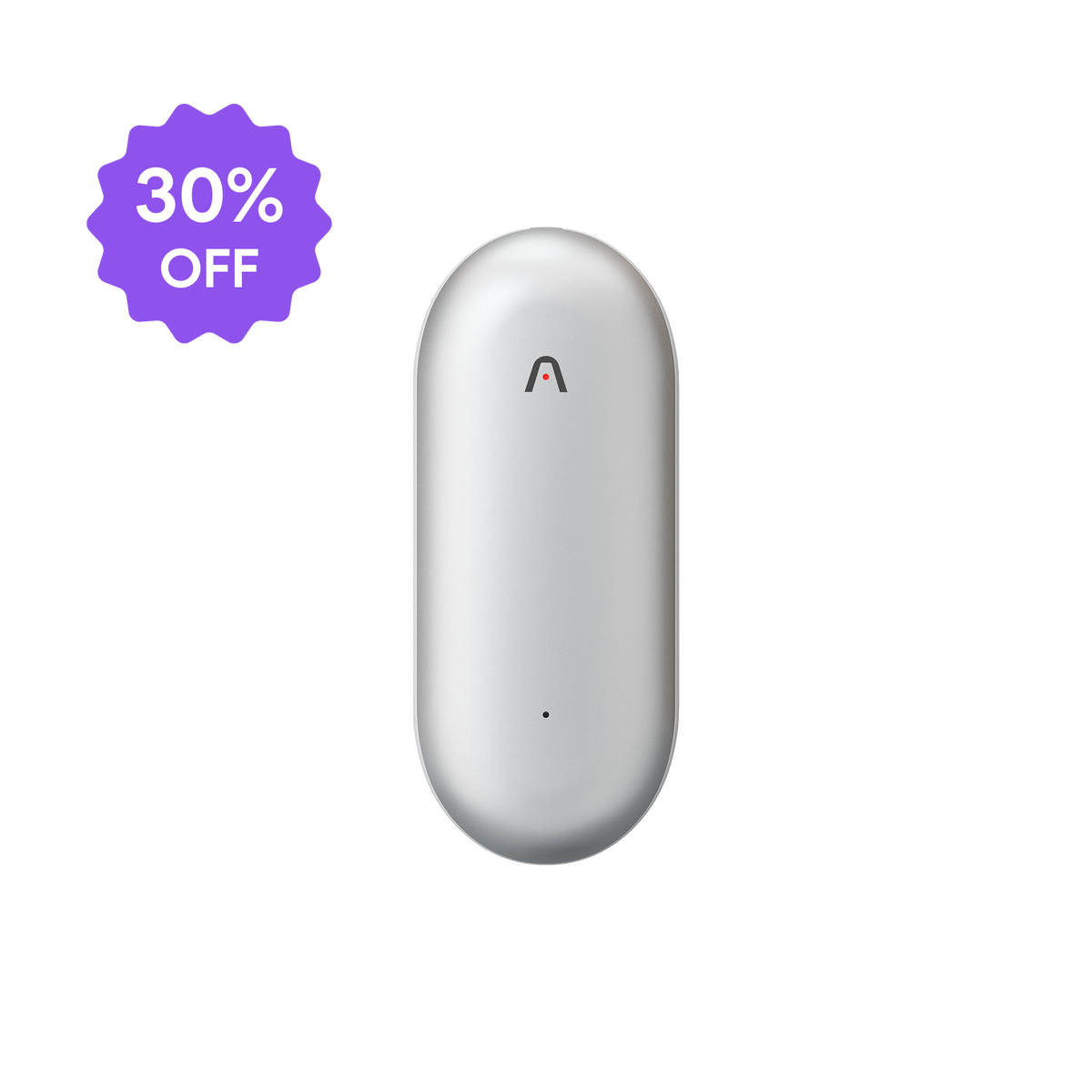
Plaud Note
El dispositivo de grabación de llamadas telefónicas y resumen con IA que cabe en su cartera.
Por qué funciona
El Plaud Note fue esencialmente construido para el problema exacto que enfrentan los agentes de seguros: capturar conversaciones telefónicas sin interrumpir el flujo de la llamada.
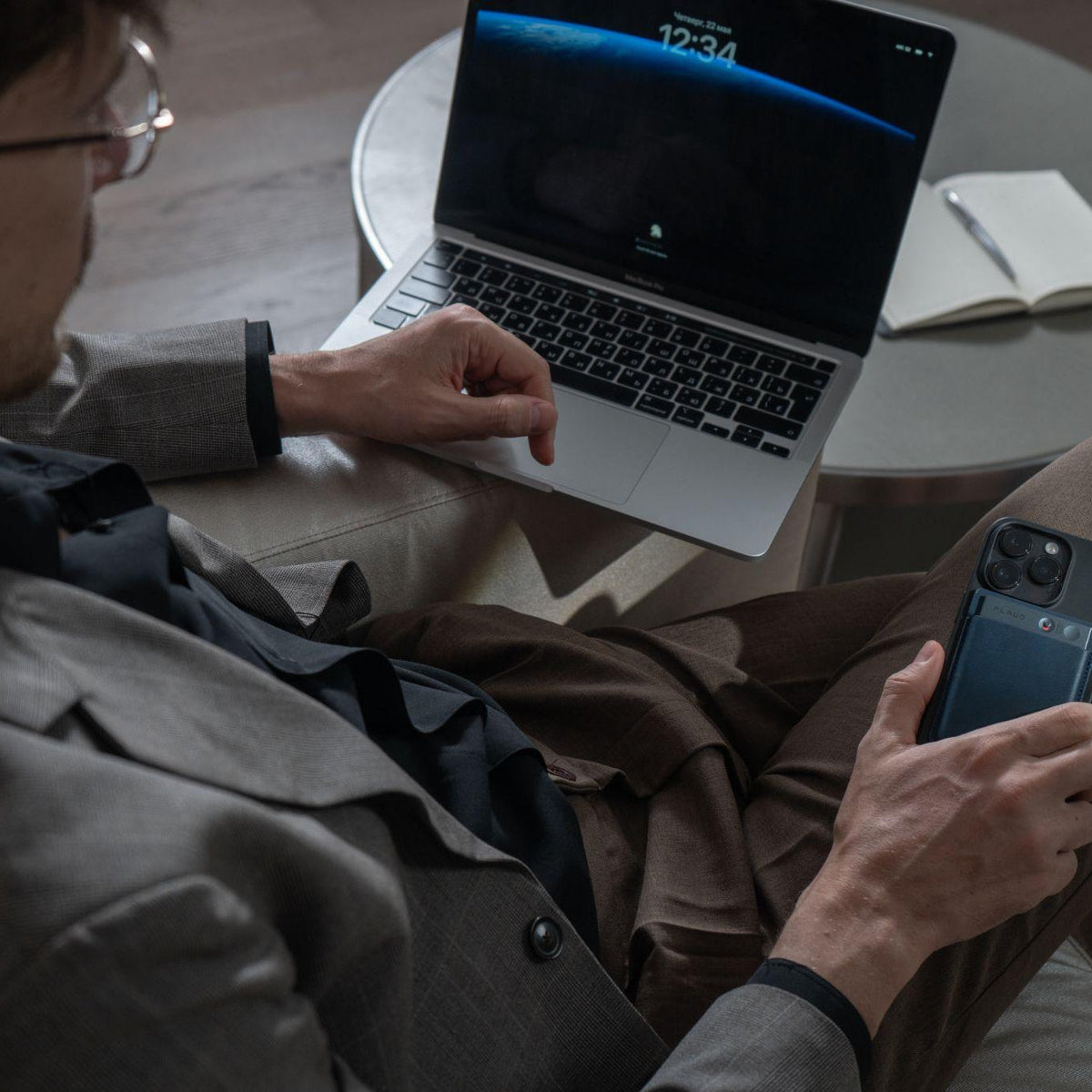
La capacidad de grabación de doble modo es lo que distingue al Note para flujos de trabajo basados en teléfono. En el modo de llamada telefónica, se coloca el dispositivo contra la parte posterior del teléfono (o cerca del altavoz), y captura ambos lados de la conversación a través de la salida de audio del teléfono. En el modo de reunión, el mismo dispositivo graba conversaciones en persona, lo que cubre la otra mitad del día de un agente de seguros: visitas a domicilio de clientes, reuniones de agencia y visitas de seguimiento de reclamaciones en la propiedad de un cliente.
Una vez que finaliza la llamada, el proceso de IA se ejecuta automáticamente. La transcripción se realiza en más de 100 idiomas con identificación de orador (lo que separa claramente su voz de la del cliente), y luego el motor de resumen genera una salida estructurada basada en la plantilla elegida. Plaud ofrece múltiples plantillas profesionales, pero para los agentes de seguros, las más valiosas suelen ser la extracción de elementos de acción y los formatos de resumen de decisiones clave. Después de una llamada de renovación, por ejemplo, el resumen podría decir: "El cliente confirmó la renovación al nivel de cobertura actual. Solicitó una cotización para agregar una póliza paraguas, $1M. Llamada de seguimiento programada para el jueves a las 10 AM".
Esa salida estructurada tarda aproximadamente 60 segundos en aparecer después de que finaliza la llamada. Para una persona que realiza un gran volumen de llamadas, esto significa que puede echar un vistazo al resumen, copiar los detalles clave en su CRM y pasar a la siguiente llamada con la confianza de que no se perdió nada. La función Ask Plaud agrega otra capa: al final del día, puede consultar todas sus llamadas grabadas ("¿Qué clientes mencionaron cambiar su deducible?") y obtener respuestas con marcas de tiempo que remiten al audio original.
Cuando no es la mejor opción
El Plaud Note es un dispositivo físico dedicado, lo que significa que no ayuda con las llamadas VoIP realizadas íntegramente a través de una computadora (Zoom Phone, RingCentral, Dialpad). Si el 90% o más de sus llamadas de clientes se realizan a través de un sistema telefónico basado en software, una herramienta que se integre directamente con esa plataforma capturará el audio de manera más limpia. El Note también requiere que lo posicione físicamente cerca de su teléfono para cada llamada, lo que agrega un pequeño pero repetitivo paso que algunos agentes encuentran ligeramente inconveniente durante las sesiones de llamadas rápidas.

Plaud NotePin S
Póntelo por la mañana y graba cada llamada sin pensar en ello.
Por qué funciona
El Plaud NotePin S utiliza el mismo motor de toma de notas de IA que el Note. Te lo sujetas al cuello, a la solapa o al cordón al principio del día y ahí se queda. Cuando entra una llamada (o cuando empiezas a marcar), pulsas una vez para empezar a grabar. Esa única pulsación es la única interacción requerida.
Para los agentes de seguros, el NotePin S resuelve una frustración específica con el flujo de trabajo de "coger el dispositivo, posicionarlo, empezar a grabar" que requieren otras herramientas de hardware. Debido a que el NotePin S ya está contigo, puedes empezar a capturar una llamada en un segundo, ya sea que estés en tu escritorio, caminando hacia tu coche o sentado en la cocina de un cliente. La transición de "el teléfono suena" a "grabando" se vuelve esencialmente automática.
El procesamiento de IA en el backend es idéntico al resto del ecosistema de Plaud: transcripción en más de 100 idiomas con separación de oradores, múltiples plantillas de resumen, extracción de elementos de acción y la búsqueda Ask Plaud en todas las grabaciones. La verdadera diferencia radica en el inicio de la grabación. A lo largo de un día completo de más de 30 llamadas, eliminar el paso de posicionamiento para cada llamada ahorra minutos acumulados y, lo que es más importante, elimina la carga mental de recordar configurar el grabador antes de cada conversación.
El NotePin S también captura las conversaciones en persona de forma natural, lo que significa que las visitas a domicilio de tus clientes, las reuniones de agencia y las conversaciones informales con compañeros reciben el mismo tratamiento que tus llamadas telefónicas. Todo fluye en una línea de tiempo única y con capacidad de búsqueda.
Cuándo no es la mejor opción
El NotePin S captura el audio del entorno que le rodea, no directamente de la salida de audio del teléfono. En una oficina tranquila o en la sala de estar de un cliente, esto funciona bien porque el audio del altavoz del teléfono llega claramente al dispositivo. En un entorno ruidoso (una calle concurrida, un restaurante lleno de gente, un coche con las ventanillas bajadas), el ruido de fondo puede competir con el audio del teléfono y reducir la precisión de la transcripción. Los agentes que con frecuencia atienden llamadas en entornos ruidosos pueden encontrar que la posición más cercana al teléfono del Plaud Note produce un audio más limpio para la grabación telefónica específica. El NotePin S tampoco captura audio de teléfono a nivel de línea como lo haría una integración de software, por lo que funciona con lo que puede escuchar en lugar de con una alimentación de audio directa.
Otter.ai
Transcripción automática para sistemas telefónicos VoIP y virtuales.
Por qué funciona
Otter.ai aborda la grabación de llamadas telefónicas desde el lado del software. Si su agencia utiliza un sistema telefónico VoIP (Zoom Phone, llamadas de Microsoft Teams, Google Meet para conversaciones de estilo telefónico), el bot de reuniones de Otter puede unirse a estas llamadas automáticamente y producir transcripciones en tiempo real con etiquetas de orador. Las funciones de resumen y búsqueda con IA le permiten encontrar momentos específicos en llamadas pasadas. Para equipos que han trasladado todo su flujo de trabajo telefónico a un sistema basado en la nube, Otter proporciona una solución sin hardware que se integra en la pila tecnológica existente. Los precios comienzan con un nivel gratuito (300 minutos al mes).
Cuando no es la mejor opción
Otter, fundamentalmente, no puede grabar llamadas telefónicas tradicionales (celulares o fijas). No existe un mecanismo para que el software acceda al audio de una llamada telefónica estándar a menos que esa llamada se enrute a través de una plataforma VoIP compatible. Para los agentes de seguros que utilizan teléfonos inteligentes personales o líneas fijas de oficina para llamadas con clientes, Otter simplemente no se aplica al flujo de trabajo principal. La herramienta solo admite la transcripción en varios idiomas y, como cualquier otra herramienta solo de software de esta lista, Otter no puede grabar llamadas telefónicas realizadas desde un teléfono celular o fijo. Tampoco captura reuniones en persona. Para un representante de ventas que necesita algo más que una transcripción básica, Otter suele ser un trampolín hacia una herramienta más capaz en lugar de una solución a largo plazo.
Fireflies.ai
Inteligencia de llamadas para todo el equipo con automatización del embudo de CRM.
Por qué funciona
Fireflies.ai está diseñado para organizaciones que desean una inteligencia de llamadas centralizada en todo un equipo de ventas o servicio. La plataforma graba llamadas VoIP (Zoom, Google Meet, Teams), transcribe en más de 100 idiomas y luego envía datos estructurados a sistemas CRM, flujos de trabajo de Zapier, canales de Slack y otras herramientas comerciales. Para agencias de seguros con múltiples agentes, Fireflies proporciona análisis a nivel de equipo: ratios de tiempo de conversación, seguimiento de temas en las llamadas y análisis de patrones de conversación que los gerentes pueden utilizar para la capacitación.
La integración con el CRM es la característica destacada para los flujos de trabajo orientados a las ventas. Después de una llamada con un cliente, Fireflies puede crear o actualizar automáticamente un registro de CRM con el resumen de la llamada, los temas clave discutidos y los elementos de acción de seguimiento. Para las agencias que utilizan Salesforce, HubSpot o plataformas similares, esto elimina el paso de entrada manual de datos que suele seguir a cada llamada. El precio profesional comienza en $10 al mes por usuario facturado anualmente, con el nivel Business a $19 al mes para funciones ampliadas.
Cuando no es la mejor opción
Fireflies comparte la limitación fundamental de Otter: funciona a través de integraciones de software con plataformas de reuniones virtuales y VoIP, no a través de la captura física de llamadas telefónicas. Un agente de seguros que realiza llamadas desde un teléfono móvil personal o un teléfono fijo de oficina no puede utilizar Fireflies para esas conversaciones. El modelo de precios por usuario también se acumula rápidamente para equipos más grandes, y la profundidad de las funciones de la herramienta está orientada a la gestión de equipos en lugar de la productividad individual. Los profesionales autónomos o las pequeñas agencias de dos personas pueden encontrar que las funciones de análisis de equipo son innecesarias para su flujo de trabajo.
Notta.ai
Grabación móvil rápida con traducción en tiempo real para conversaciones con clientes multilingües.
Por qué funciona
Notta.ai ofrece una aplicación móvil que puede grabar audio directamente desde el entorno del teléfono, lo que le da una ventaja sobre las herramientas puramente dependientes de la plataforma para capturar conversaciones telefónicas. La aplicación funciona en iOS y Android, y aunque no captura audio de llamadas telefónicas a nivel de sistema (una limitación en la mayoría de los teléfonos inteligentes), puede grabar la salida del altavoz de sus llamadas cuando se coloca de forma adecuada. Notta admite 58 idiomas de transcripción e incluye una función de traducción en tiempo real, lo que es particularmente útil para los agentes de seguros que atienden a comunidades diversas donde los clientes pueden sentirse más cómodos discutiendo los detalles de la cobertura en su idioma nativo.
El resumen de IA se ejecuta en modelos de lenguaje grandes (LLM) y genera notas estructuradas después de cada grabación. El plan Pro comienza en $8.17 al mes facturados anualmente, con 1,800 minutos de transcripción mensual. Notta también se integra con Zoom, Google Meet y Outlook para la captura de llamadas programadas.
Cuando no es la mejor opción
La grabación de llamadas telefónicas de Notta se basa en la captura de audio del altavoz a través de la aplicación, lo que es menos confiable que un dispositivo de hardware dedicado colocado contra el teléfono. El ruido de fondo, el eco del altavoz y la colocación inconsistente del micrófono pueden reducir la calidad de la transcripción. El nivel gratuito está limitado a 120 minutos al mes y un máximo de 3 minutos por grabación, lo cual no es práctico para cualquier flujo de trabajo telefónico serio. Notta tampoco tiene el factor de forma de hardware que hace que herramientas como Plaud Note o NotePin S sean más naturales de integrar en una rutina de llamadas rápidas.
Entonces, ¿qué tomador de notas con IA debería elegir?
La decisión se reduce a cómo realiza sus llamadas telefónicas hoy en día. Aquí tiene un árbol de decisiones práctico:
Si usa principalmente un smartphone para las llamadas con clientes y también realiza reuniones en persona: Plaud Note es la opción más adecuada. La grabación de doble modo cubre tanto las conversaciones telefónicas como las visitas a clientes en persona, y los resúmenes de IA están diseñados para extraer detalles accionables.
Si desea una grabación siempre lista sin tener que posicionar un dispositivo para cada llamada: Plaud NotePin S elimina por completo la fricción de la configuración por llamada. Colóquelo a las 8 AM, presione para grabar cuando comiencen las llamadas y deje que capture todo su día. Esta es la elección para los agentes que valoran la velocidad y la simplicidad por encima de todo.
Si el 90% o más de sus llamadas se realizan a través de VoIP o Zoom Phone: Otter.ai o Fireflies.ai pueden conectarse a su sistema telefónico virtual existente sin necesidad de hardware. La desventaja es que todo lo que ocurra fuera de la plataforma quedará sin grabar.
Si necesita auto-población de CRM y análisis de llamadas para todo el equipo: Fireflies.ai ofrece las integraciones de flujo de trabajo más profundas para agencias que desean que los datos de las llamadas fluyan directamente a su CRM y paneles de gestión.
Si atiende a una base de clientes multilingüe: La traducción en tiempo real de Notta.ai y el soporte para 58 idiomas pueden ayudar a salvar las barreras lingüísticas durante las llamadas con los clientes, aunque querrá combinarlo con un método de grabación más fiable para una captura consistente.
Conclusión
Para los agentes de seguros, el teléfono sigue siendo la principal herramienta generadora de ingresos. Cada llamada conlleva información que pertenece a un registro de cliente: montos de cobertura, cambios de beneficiarios, detalles de reclamos, compromisos verbales y plazos de seguimiento. El tomador de notas de IA adecuado para llamadas telefónicas debe hacer dos cosas bien: capturar la llamada sin agregar fricción a su flujo de trabajo y entregar un resumen utilizable antes de que comience su próxima llamada.
El siguiente paso práctico es simple. Registre sus llamadas durante una semana y clasifíquelas: ¿Cuántas se realizan en su teléfono celular? ¿Cuántas a través de un sistema VoIP? ¿Cuántas en persona? Ese desglose lo dirigirá directamente a la herramienta adecuada. Para la mayoría de los agentes de seguros que realizan la mayoría de sus llamadas desde un teléfono inteligente, un dispositivo de hardware dedicado como el Plaud Note o el NotePin S tiende a cubrir la más amplia gama de escenarios, mientras que las herramientas de solo software funcionan bien para las agencias que ya han trasladado su infraestructura telefónica a plataformas en la nube.
Elija lo que elija, las cuentas son sencillas: si un detalle recuperado al día evita una queja de un cliente, un problema de cumplimiento o una oportunidad de venta adicional perdida, la herramienta se amortiza en la primera semana.