
A lecture hall is a difficult place to take notes. The professor may be several rows away, the slides may move quickly, and trying to write everything down can pull your attention away from the explanation.
Study sessions often happen away from a desk. You may review a recording in a library, ask questions in a group, or move between classes with no laptop available. The right AI note taker depends on whether you are capturing a live room, an online class, or material you already have.
How to choose the right AI note taker for lectures
Start with the recording method.
A physical recorder captures sound from the room. A browser extension or meeting bot captures an online class through the computer, and a source-based tool such as NotebookLM works after you already have notes, slides, PDFs, or recordings. Each covers a different job.
- Recording method: Choose a physical recorder when the lecturer is distant or several people are speaking in the room. Choose desktop or browser capture when the class is fully online. Choose a source-based assistant when the material already exists as a file or link.
- Monthly transcription limits: A 300-minute monthly allowance may sound generous until a full course load produces several hours of lectures each week. Check whether the plan counts every recorded minute and whether unused minutes roll over before you compare monthly prices.
- School policy: Recording a lecture can involve the professor, classmates, and course materials. Check the syllabus and ask for permission before recording. A device that does not join as a bot still does not override a no-recording rule.
- Device compatibility: Check compatibility with macOS, Windows, iOS, Android, and the class browser. Students often need separate methods for in-person and online classes.
Room capture carries the most weight in this comparison. Output usefulness comes next, followed by ease of starting, monthly limits, policy constraints, and price. A hardware recorder leads for a large lecture hall. NotebookLM ranks higher when the recording already exists.
Best AI note takers for in-person lectures and classrooms
The right choice changes with the room. A fixed seat in a large hall favors distance and battery life. A student moving between buildings may care more about weight and a physical button.
| Tool | Best for | In-person lecture capture | Online class capture | Bot-free option | Study output | Free allowance | Starting price |
|---|---|---|---|---|---|---|---|
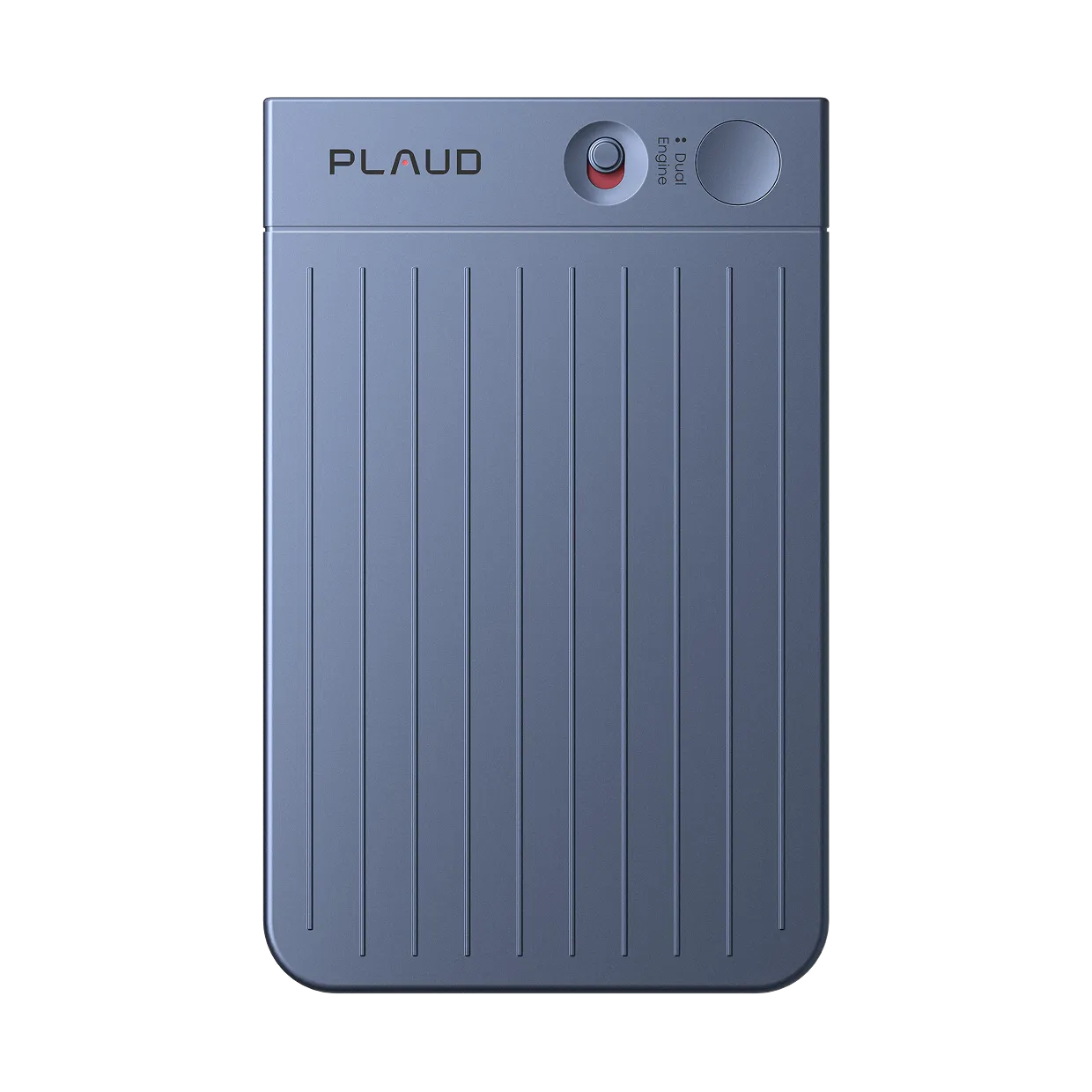
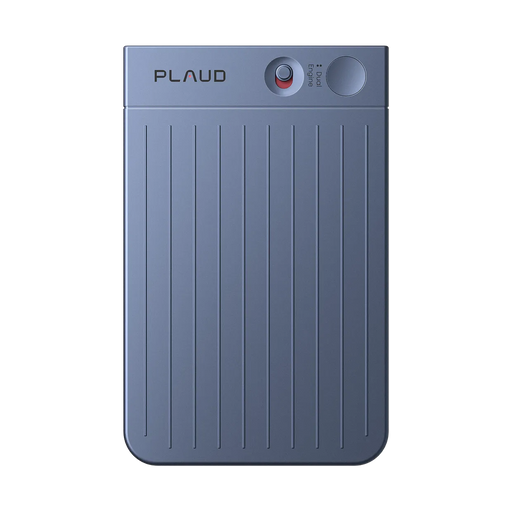
| Plaud Note Pro | Large lecture halls | Physical recorder, up to 5 meters | Plaud Desktop after device binding | Yes | Transcripts, summaries, insights, exports | Plaud Starter Plan: 300 minutes/month | $189 |
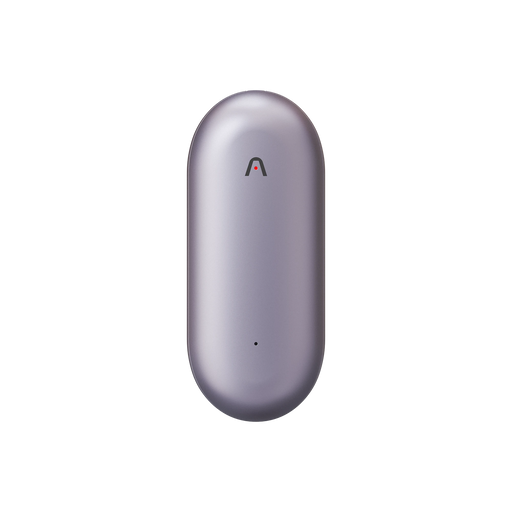
| Plaud NotePin S | Students moving between classes | Wearable recorder, up to 3 meters | Plaud Desktop after device binding | Yes | Transcripts, summaries, highlights | Plaud Starter Plan: 300 minutes/month | $179 |
| Otter.ai | Online lectures and searchable notes | Browser or mobile microphone | Notetaker and Otter Desktop | Supported desktop option | Live transcription, slide capture, summaries | Basic: 300 minutes/month | Pro from $8.49/user/month annual |
| NotebookLM | Studying existing sources | Does not replace a live recorder | Source-based study assistant | Not applicable | Study guides, Q&A, and Audio Overviews | Free access with account limits | Free |
| Bluedot | Bot-free online lectures | Not designed for large-room capture | Supported browser and meeting workflows | Yes | Transcripts and summaries | Limited free allowance | From $14/user/month annual, verify before publication |
| Tactiq | Google Meet, Zoom, and Teams transcription | Not a dedicated room recorder | Browser extension capture | Yes | Transcripts and AI insights | 10 transcripts and 5 AI credits/month | Pro from $8/user/month annual |
1. Plaud Note Pro: best for large lecture halls
If you sit in a fixed seat and the lecturer is far away, Plaud Note Pro is the clearest choice. It is built around physical room capture rather than a meeting bot. For students with ADHD, recording reduces the split attention between listening and writing simultaneously.
Pros:
- Four MEMS microphones with AI beamforming and up to 5 meters of listed pickup.
- Offline recording, long battery life, and a device-bound access to Plaud Desktop.
Cons:
- The $189 upfront price is harder to justify if every class is already online.
Plaud Note Pro uses four MEMS microphones and AI beamforming to cover a listed range of up to 5 meters. Its 64GB storage and 112-language support help when students record long courses and review them later. Enhance mode runs up to 30 hours. Endurance mode extends battery life but shortens the pickup range.
Once a Plaud device is bound to the account, Plaud Desktop becomes available for online meetings. The recorder covers the lecture hall, while the desktop app covers Zoom, Google Meet, or Teams without a bot. Plaud Intelligence then turns the recordings into transcripts, summaries, and insights.
That coverage still depends on two checks. The recorder must have a clear route to the lecturer's voice, and the student must have permission to record. Plaud Note Pro works best for fixed seats, large rooms, and mixed in-person and online classes. See this dedicated lecture recorder.
Price: $189. The Plaud Pro Plan lists 1,200 minutes per month at $99.99 per year.
2. Plaud NotePin S: best for mobile students
Plaud NotePin S is the better fit when your day does not happen at one desk. For students with ADHD, the wearable format shortens the delay between a thought and starting a recording. It attaches with a magnetic pin, clip, lanyard, or wristband while moving between classes.
Pros:
- Lightweight 0.61-ounce wearable design with four included wearing options.
- Physical record button, Press to Highlight, 64GB storage, and up to 20 hours of recording. That combination suits students who move between classes and cannot keep a phone or laptop open.
Cons:
- A wearable recorder is less suited to a distant lecturer in a large hall than Plaud Note Pro.
Plaud NotePin S attaches to a collar, lanyard, or bag strap, and its physical button starts recording or marks an important moment. It has a listed pickup range of up to 3 meters, Apple Find My support, and offline storage. Binding the device also unlocks Plaud Desktop for online classes.
That makes Plaud NotePin S a useful mobile-study option, but not a replacement for every room or recording situation. In a large auditorium, distance matters more than wearability. Plaud NotePin S makes more sense when hands-free capture and movement between classes matter most.
Price: $179, including the four wearing accessories and the Plaud Starter Plan allowance when verified against the current product offer.
3. Otter.ai: best for online lectures and searchable notes

Otter.ai makes more sense when the lecture is already online. Its Notetaker can join supported Zoom, Google Meet, and Microsoft Teams meetings, while Otter Desktop offers a bot-free option for supported online meetings.
Pros:
- Live transcription, speaker identification, search, summaries, and action items.
- Slide capture and several ways to record or import material.
Cons:
- A laptop or phone microphone is still a poor substitute for a room recorder.
For an online class, Otter gives you a live transcript during the lecture and a searchable record afterward. The Basic plan includes 300 monthly transcription minutes, with limits on imports, conversation duration, and history. Pro is $8.49 per user per month on annual billing.
In a physical classroom, Otter depends on the computer or mobile microphone, so placement matters. Use Otter.ai when classes are mostly online and live search matters more than offline room capture.
Price: Basic is free. Pro starts at $8.49 per user per month on annual billing.
4. NotebookLM: best for studying existing sources

NotebookLM is not a live lecture recorder. It becomes useful after you have the material, such as a PDF, slide deck, website, YouTube video, audio file, or transcript.
Pros:
- Grounded Q&A and study guides based on the sources you provide.
- Audio Overviews and other study formats can make review less passive.
Cons:
- It cannot replace a device or app that captures a lecture in real time.
Upload your lecture slides and transcript, ask NotebookLM to explain a difficult concept, then use the answers to test your understanding. Google also documents Audio Overviews that turn uploaded sources into AI-generated discussions. They help with review, but are not a verbatim record of the lecture.
NotebookLM works best alongside a recorder when the source material already exists and review is the main task.
Price: Free access is available, with account and feature limits that should be checked before publication.
5. Bluedot: best for bot-free online lectures

Bluedot is aimed at online meeting capture through browser-based workflows. It works better for a Zoom or Google Meet class than for a lecture hall.
Pros:
- Bot-free online capture for supported meeting workflows.
- Transcripts and summaries without requiring a dedicated recorder.
Cons:
- It does not solve distant-room audio or offline lecture capture.
Bluedot works when the lecture runs inside a supported browser meeting and the student wants to avoid a visible participant. It does not capture audio from a physical room or work offline.
Check the current free allowance and annual price before choosing it. The official pricing page should be the source of truth because plan limits can change.
Price: From $14 per user per month on the annual Basic view in the Brief. Verify the current offer before publication.
6. Tactiq: best for browser-based meeting transcription

Tactiq is a practical option for students who take classes through Google Meet, Zoom, or Microsoft Teams and want a browser-based transcript.
Pros:
- Captures supported online meetings through a browser extension.
- Free plan includes 10 transcripts and 5 AI credits per month.
Cons:
- It is not a physical lecture recorder and depends on the supported browser option.
The free allowance is easy to understand: one credit covers one meeting transcription, and free users receive 10 transcription credits per month. AI credits are separate. Tactiq is worth considering when browser transcription works for selected online classes.
Price: Free includes 10 transcripts and 5 AI credits per month. Pro is listed from $8 per user per month on annual billing.
Best AI note takers for study sessions
The best study tool depends on what happens after class. In a library or dorm, Plaud Note Pro keeps desk discussions in one workflow. Between classes, Plaud NotePin S is easier to keep ready. With the transcript and slides already saved, NotebookLM may suit review better.
For a focused study session, capture questions and explanations rather than every silent minute. Mark moments that need another look. Afterward, review the transcript and turn difficult sections into self-quiz questions. You can also summarize your lecture recordings to support a longer study system.
Price is the main consideration. A student recording one occasional seminar may prefer a free online tool. Someone taking several in-person classes may get more value from one physical device covering offline recording, Plaud Desktop, and later review.
If you are unsure whether the cost is worthwhile, compare whether AI note takers are worth it for students with your weekly recording time.
Best AI note takers for online classrooms and remote learning
Online classes change the main problem. You no longer need to place a microphone near a distant lecturer, but you do need to check how the tool captures platform audio and whether a bot appears in the participant list.
Plaud Desktop is available when a student already owns and binds a Plaud device. It captures online meetings without joining as a bot, and the same account can organize in-person recordings. Otter.ai, Bluedot, and Tactiq are online-first options with different browser, desktop, and plan limits.
Before class, check the recording notice, school policy, and whether the tool can save audio if the connection becomes unstable. A browser transcript that stops with the connection is not the same as a local recording that can upload later.
How to record lectures and turn them into study material
- Before class, check the syllabus and ask the professor for permission. Choose the recorder, Plaud Desktop, or online tool that matches the room. Test the microphone and check your remaining transcription allowance.
- During class, place a physical recorder where it can hear the lecturer, or confirm that desktop capture is active. Keep one recording method for the session, and use a highlight when a concept, question, or assignment deserves attention.
- After class, review the transcript instead of trusting the first summary. Correct important terms, check speaker labels, and turn unclear sections into questions for office hours or your next study session.
- Build the study record. Export the approved notes, add the lecture slides, and use a source-based tool to compare concepts or create a study guide.
- Archive carefully. Keep course material private, follow the instructor's sharing rules, and delete recordings when you no longer need them.
For a longer review process, see how to build a study system from lecture recordings.