
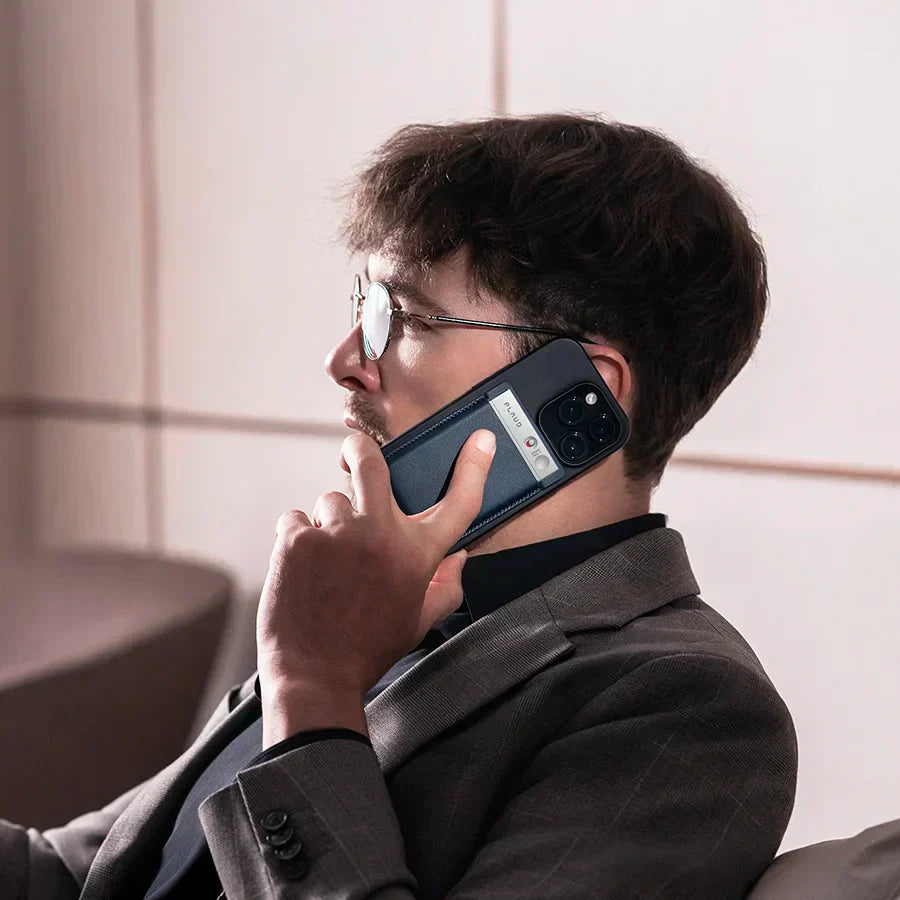

For a long time, many of us have been asking for a way to record phone calls directly on our iPhones. With iOS 18, Apple finally added the feature, but a lot of people either don't know it's there or have tried it and felt it was a bit disappointing.
Plus, it brings up a big question: Is it legal to record a call on iPhone?
Today, we're going to walk you through exactly what you need to know.
We’ll cover the legal aspects of recording, how to record a call on your iPhone, why the new feature might not be what you expected, and the best way to get it done right.
How can you record a phone call on your iPhone?
There are two main options for recording a call on your iPhone: you can use the iPhone's new built-in recording feature, or you can go with the old-school approach using a traditional digital voice recorder.
Let's cover each option...
Record calls with the iPhone's built-in recording feature
If you want to use the new feature, it's pretty simple.
While you’re on a call, just tap the "Record" icon that shows up in the top-left corner of your screen. A three-second countdown will start, and then a voice will announce, "This call is being recorded."

This makes sure everyone on the call knows the conversation is being saved.
Once you’re finished, the recording is automatically saved right in your Notes app.

You can tap on the note to listen to the entire conversation again whenever you need to.
Record calls with the traditional voice recorder
Now, if you’re looking for another option, you can use a separate voice recorder to capture the audio from your iPhone's earpiece.
The biggest advantage here is that you won't get that "This call is being recorded" announcement.
For some people, that can make things a lot less awkward.
Note: How to Record a Call on Your iPhone Without Notification?
The best way to record a call on your iPhone without the “This call is being recorded” notification is to use an external recording device. Most apps cannot record audio directly through the Phone app due to Apple’s privacy protections. Third-party apps that can record calls (such as the Google Voice app) also give a notification. No app can secretly record phone calls on iOS.
Is it legal to record a phone call on an iPhone?
The legality of recording a phone call on an iPhone depends on which jurisdiction you’re in. If you’re in a state with one-party consent laws, it is legal to record without the other party’s consent. If you’re in a two-party consent state, you must obtain consent from all parties involved.
In general, as long as you're a part of the conversation and you don't have an illegal reason for recording it, it is legal to record the phone call. Most states have one party consent laws, meaning only one person (you) needs to consent to the recording.
But the legality of your recording depends on the specific situation and location.
For example, was it a private conversation? Was it about highly personal information? In some states, it is illegal to record calls without the other person knowing if there’s a reasonable expectation of privacy. We recommend learning about your jurisdiction’s call recording laws before making any decisions or seeking legal counsel to get a correct answer.
To be safe, it's always a good idea to get the other person's consent before you start recording.
The built-in feature vs. the traditional voice recorder: Which is better?
Next up, we’ll cover the best way to record a call on your phone. Is it the built-in recording feature or a voice recorder?
The built-in feature that's always there when you need it. The other is an extra tool that doesn't come with the awkward announcement.
Well, the answer depends on what you’re recording and what you plan to do with it. If you just want to record a conversation for personal reasons, the built-in feature will probably do just fine.
But if you’re recording for business, legal, or other professional reasons (such as skill development), a voice recorder is 100% the answer. And we’ll explain why…
Voice recorders offer several major advantages over the simpler built-in recording feature that comes with your phone. A few of the advantages are:
- It won't announce that you're recording, which can lead to a more honest conversation.
- It works with any model, not just the newest ones.
- It's not limited to a specific iOS version.
- Voice recorders usually have a much longer battery life than phones, so you don't have to worry about running out of power.
- A voice recorder has many more uses than just recording phone calls.
- A voice recorder automatically transcribes your conversations for review, and some AI-powered voice recorders (like Plaud!) can even analyze sentiment, topics, and word usage.
However, we do have one warning about this. There's one big problem with using an external recorder for calls: you have to put the call on speakerphone. Otherwise, it's really hard to get a clear recording of the whole conversation. This major drawback limits how useful an external recorder is for this specific task.
But there is a solution…
Plaud Note: Smart AI Voice Recorder
This is the Plaud Note AI voice recorder, and it’s not just super thin and easy to carry like a regular voice recorder.
It also solves the biggest problem with voice recorders: having to use speakerphone to get a clear recording.
With Plaud Note, you can record all of your calls at the push of a button. It’s an external recording device, so you’ll never have to deal with app permissions or system restrictions, and you won’t ever hear that annoying “This call is being recorded” notification that participants hear.
Plaud records crystal clear audio whether you’re on speakerphone or not. Our customers love it because they never miss any important details from calls or meetings. And if they’re ever unsure of anything, they can review the transcript later. Plus, it automatically transcribes, summarizes, and highlights key points from your conversations, which makes them easier to review and share.
Further Reading: Learn how to record calls with Plaud in this helpful guide.
Is Plaud Legal?
Yes, Plaud is legal. Voice recording devices like Plaud are 100% legal to own and operate. However, it is possible to use Plaud in ways that break the law. For example, in some states and countries, recording phone calls without the consent of all call participants is illegal.
To legally record phone calls, it’s important to get consent by informing the other party on the call of your intent to record. And even if you're in a one-party state, there may be other circumstances that come into play that affect the legality of recording the call.
We are in no way giving you legal advice. You must check your local laws before recording any conversations.
Further Reading: To learn more about Plaud's commitment to privacy and compliance, check out our announcement on achieving full GDPR compliance in the EU.
Plaud is super thin and easy to carry
This recorder is even thinner than a business card holder. At just 0.3 centimeters, it’s about the thickness of six business cards. Just slip it into a shirt pocket, and you won’t even notice it’s there.
You can also put it in a MagSafe card case, which lets you magnetically attach it to your iPhone and take it anywhere. If your phone doesn't have MagSafe, you can just stick a magnetic ring to the back of your phone or case, and it works just the same.

Record without speakerphone and stay discreet
If you wish to record conversations while staying discreet (clients may not like having a bulky recorder in plain view or hearing a call recording message), you’ll love Plaud. It’s easy to hide in your pocket and doesn’t make those annoying “call recording” announcements.
To start a recording, you just flip the switch on the side up and then long-press the record button on the right. To stop recording, long-press the button again. That’s it. No one else on the call will hear any announcement or notification.
The best part is you don’t even need to use speakerphone. We’ve tested this over and over. The Plaud Note uses a special microphone designed specifically for recording, so you can talk normally and it will clearly pick up the voice from the person on the other end from the earpiece.

In a single device, it fixes the two biggest issues our clients worry about: having to use a speakerphone with a voice recorder, and getting an announcement with the iPhone's built-in feature.
Note: Plaud also works for online meetings. It can record Google Meet or Zoom calls on your computer with excellent audio quality.

Access the recordings on app, web and desktop
Once you've connected the Plaud Note with your phone, when you finish a recording, the audio file is automatically saved in your device. You don't have to lift a finger. It only takes a few minutes. After a meeting, you might grab a glass of water or use the restroom, and by the time you get back, the file is ready to go.

Plaud Note - Not just for phone calls
We all know the recording is just the first step. Going home to transcribe it, organize the text, and find the key points is the annoying part.
Even if you aren't recording a phone call, you'll find this device is still incredibly useful. Plaud Note doesn't just record. It takes all that captured information and does the hard work for you.

For instance:
- In meetings: Stop taking notes and start leading the discussion. The Plaud Note captures, summarizes, and visualizes key decisions and next steps for you, so you can fully engage in the conversation.
- During Interviews: Make eye contact, not notes. Stay completely present in every conversation while the Plaud Note delivers professionally formatted interview notes and key takeaways.
- While learning: Your attention belongs to absorbing knowledge, not note-taking. The Plaud Note takes structured notes and creates visual summaries for a better understanding.
- For voice memos: Speak your ideas now and find them forever. The Plaud Note will transcribe, summarize, and organize your thoughts, making them searchable in your personal knowledge base.
You just flip the button on the Plaud Note to the bottom position, and it switches to onsite recording mode, capturing sounds from all around you.
Below are some features you can explore.
It summarizes and extracts key action items
Another Plaud feature that’s fantastic is the ability to summarize key points using models like GPT-5, Claude 4, and Gemini 2.5 Pro. It’s perfect for organizing the most important information from a long meeting or lecture.
It puts everything into clear categories and even creates a table of follow-up tasks for you after a meeting.

The transcripts are accurate
Plaud Note can transcribe recordings accurately in 112 languages. You might think the iPhone's built-in transcription can do this too, but let's compare the accuracy.
If you look at just a short section of text, you'll see a number of mistakes in the iPhone's transcript. Plaud, on the other hand, creates an accurate transcript, and it adds correct punctuation, separates paragraphs, and even automatically identifies different speakers.

This makes it so much easier to read and understand. After an hour-long meeting, an inaccurate transcript means you'll not only waste time correcting it, but your analysis could be completely off from the original meaning.
The mind map feature: A great way to take notes
Another great feature our clients love is the mind map. It lays out all of the key points in a hierarchy. This means you can quickly see all the main ideas, and then understand all the specific details that fall under each one.
You can think of it as a visual summary. A regular summary has to be read line by line from top to bottom, but a mind map lets you see the entire structure all at once. It's incredibly clear and easy to understand at a single glance.

No need to worry about confidentiality
Sometimes we worry that if a meeting is confidential, the content might be intercepted or leaked when we upload the recording to be transcribed.
The good news is, the Plaud App handles all the files, transcripts, and summaries. The app also has both SOC 2 and HIPAA certifications, which shows how seriously we take security.

SOC 2 is a certification that checks a company's controls for security, availability, data integrity, confidentiality, and privacy. And HIPAA is a U.S. law that sets strict rules for protecting sensitive health information. Even a huge company like Cloudflare has to meet its standards.
Is Plaud AI worth it?
In general, yes, Plaud AI is worth it. We know we are biased, though! We built it.
The answer depends on what you need it for, so we’ll break it down from a few different angles.
We think Plaud is worth it, especially for students, healthcare professionals, and other employees in business settings.
Here are a few of the main advantages:
To avoid disruptions
The iPhone's own call recorder tells the other person you're recording and requires speakerphone, which can feel a little awkward. Plaud Note, on the other hand, can record a conversation without interrupting the flow.

This gives you a better chance of protecting yourself and avoiding disruptions in your conversation. For that reason alone, it's worth getting.
For efficiency
The Plaud Note does much more than just incoming call recording. You can use it to record meetings, lectures, and other events. It’s also a massive time-saver, because it does all the organizing for you without you having to give any extra commands.
It can transform your voice notes into a visual mind map, which allows you to see the big picture at a glance and find inspiration.
And, it creates an action list to turn conversations into actions by automatically extracting key commitments from your conversations. This saves you a ton of time on follow-ups and ensures everything gets tracked.

For the cost
Plaud offers a free plan that gives you 300 minutes a month, which is enough to record about five 60-minute meetings.

The Pro plan gives you 1200 minutes and unlocks all the features for a low monthly price. And if you're a heavy user, there's an unlimited plan.
Many of our customers used to pay about 5-10 cents per minute for AI transcription. On the Plaud Pro plan, you’ll pay about $8 for 1200 minutes a month. That’s a lot less than a penny per minute.
We recommend trying out the free plan first to see if it's right for you before you decide to upgrade.
Conclusion
Plaud Note is a complete and practical solution for anyone needing to record calls or conversations. It directly addresses the main flaws of other methods by providing a discreet, speakerphone-free recording experience. But its true value is in how much it boosts your productivity in meetings, interviews, and during class. The device is very affordable, and there’s a free plan to get you started once you purchase it. Check it out today.





