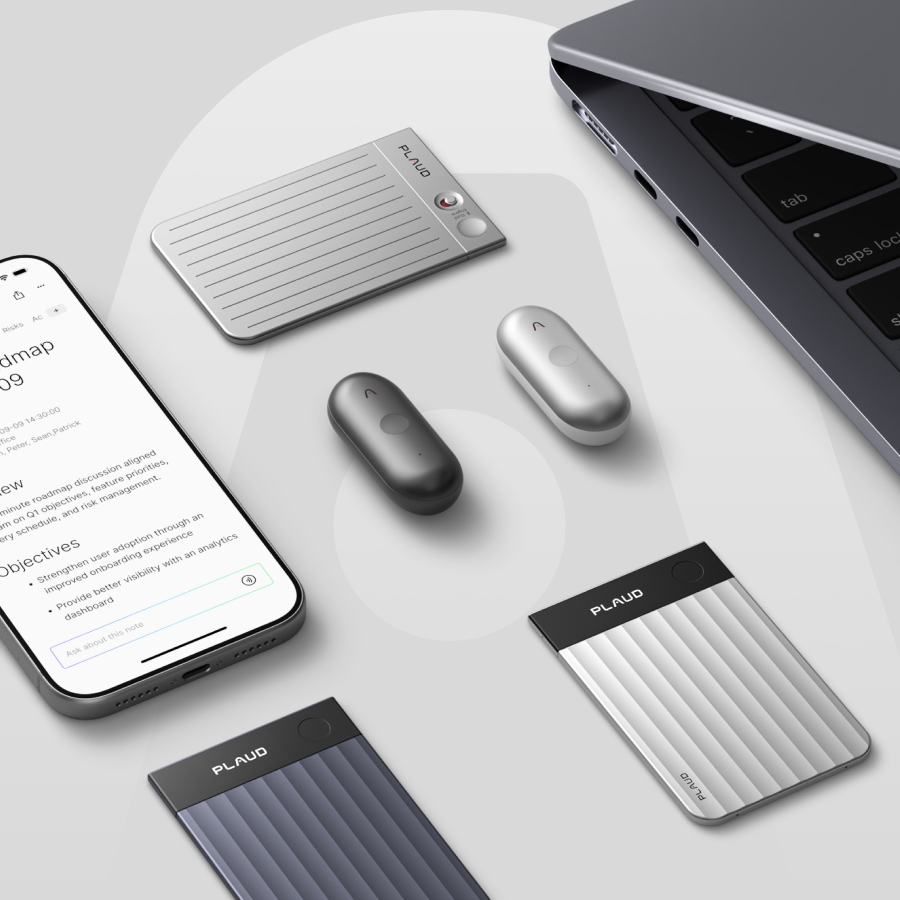
Plaud devices capture conversations, turn them into transcripts, and help organize what matters after the recording ends. The lineup looks simple at first. The lineup includes four devices from one brand, all built on the same AI platform.
The choice gets harder once you look at how people actually record. Some work mostly from a desk. Some move through meetings all day. Some care most about phone calls. Others care more about quick in-person capture.
That is why this guide looks at the lineup through work setup, recording style, and what happens after the sync.
Short answer: If you mainly record calls and desk meetings, start with Plaud Note or Plaud Note Pro. If your work happens on the move, Plaud NotePin or NotePin S is the better starting point.
Quick comparison table
If you already have a rough sense of what you want, this table is the fastest way to narrow the field.
| Device | Device type | Best for | Recording style | Work setup | Control style | Price level | Key difference |
|---|---|---|---|---|---|---|---|
| Plaud Note | Card-style | Desk-based users who record calls and planned meetings | Placed capture | Home office, calls, meeting table | Simple, intentional start-and-stop use | $159 | Best fit for structured recording habits |
| Plaud Note Pro | Card-style | Users with heavier meeting loads or more demanding in-room recording needs | Placed capture | Conference rooms, mixed workdays, recurring meetings | Card-style workflow with more advanced positioning in the lineup | $189 | Better fit when recording is a bigger part of your workweek |
| Plaud NotePin | Wearable | Users who want hands-free capture in face-to-face conversations | Hands-free capture | Walking between meetings, in-person conversations, flexible routines | Minimal-interruption wearable use | $159 | Better fit when the recorder needs to move with you |
| Plaud NotePin S | Wearable | Users who want wearable flexibility with more direct device control | Hands-free capture | Mobile workdays, changing environments, frequent in-person capture | Wearable use with more deliberate control | $179 | Better fit when the wearable is right, but convenience alone is not enough |
Meet Plaud AI note-taking devices
Plaud Note

Plaud Note works best when recording starts in a planned setting and needs to stay easy to manage afterward. It fits calls, routine meetings, lectures, and other moments where the recorder can be placed with intention and left to do its job.
The hardware supports that kind of routine well. Plaud Note offers dual-mode recording for calls and in-person conversations, records up to 30 hours, stores up to 64 GB locally, and captures voices within 9.84 ft with a 2 MEMS + 1 VPU setup. That is enough for a lot of desk-based and meeting-table use without making the device feel complicated.
For someone whose week already has clear recording moments, Plaud Note usually feels straightforward from the first meeting onward.
Plaud Note Pro

Plaud Note Pro is easier to justify when the room gets bigger, the week gets busier, or cleaner capture changes how much work is left after the sync. It suits people who record more often and who need more confidence in larger or less forgiving environments.
That shows up in the hardware. Plaud Note Pro captures voices up to 16.4 ft away, uses 4 MEMS + 1 VPU microphones, supports smart dual-mode recording, and adds an InstantView display for quicker status checks. Those details matter when recordings need to feed follow-up work, client documentation, or notes that have to be usable without much cleanup.
If Plaud Note covers a predictable routine, Plaud Note Pro is the version that starts making more sense once recording becomes a heavier part of the week.
Plaud NotePin

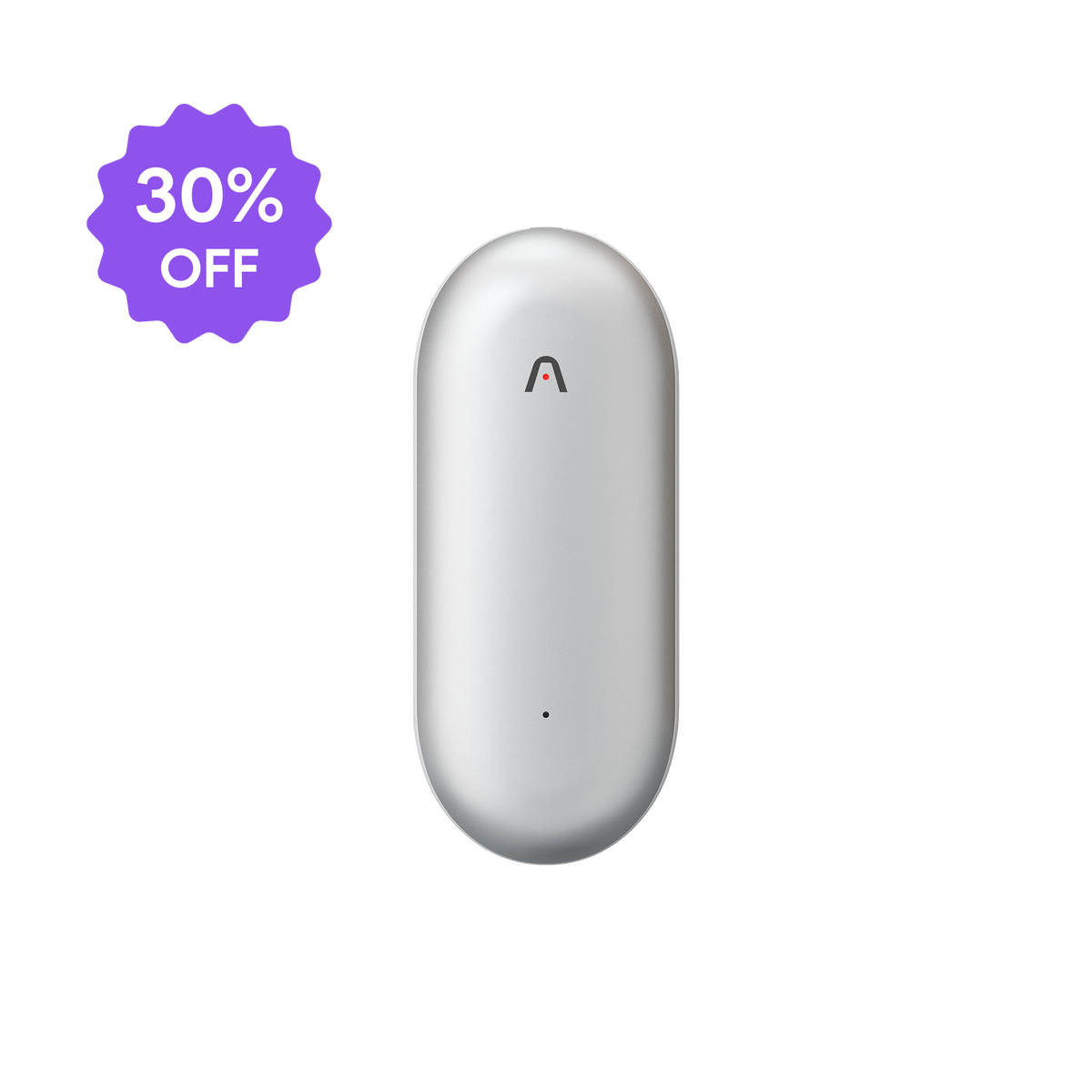
Plaud NotePin fits people who want the recorder on them, not on the table. It works well for in-person conversations, moving between spaces, and days where useful recordings happen in shorter moments instead of one long scheduled block.
Plaud NotePin weighs 0.59 oz, records for up to 20 hours, offers 40 days of standby, stores up to 64 GB locally, and is built around wearable use. The product page also presents multiple ways to wear it as a pin, clip, wristband, or necklace, while the standard kit keeps the setup simpler with the essential magnetic pin and clip.
For people who mainly want hands-free capture without turning the recorder itself into another thing to manage, Plaud NotePin is usually the cleaner fit.
Plaud NotePin S

Plaud NotePin S keeps the same wearable logic, but gives that workflow more direct control. It suits people who already know wearable capture is right for their day and want the device to feel more active during the recording itself.
If Plaud NotePin is the lighter and simpler wearable option, Plaud NotePin S is the more deliberate one.
What’s different across the Plaud lineup?
Plaud’s lineup usually gets easier to read once you separate two kinds of work. Some people need one device to handle both meetings and phone calls. Others need something they can wear and keep ready for conversations throughout the day.
Plaud Note vs. Plaud NotePin
Plaud Note works best when one device needs to cover both meetings and phone calls. Plaud NotePin is ideal when the day is built around in-person conversations that happen on the move.
Phone call support is the clearest dividing line. Plaud Note supports phone call recording and includes a Vibration Conduction Sensor to help capture clearer call audio. Plaud NotePin does not support phone call recording. For people who spend a large part of the week on calls, that usually matters more than anything else in this comparison.
From there, the workflow tends to separate naturally. Plaud Note fits a more structured rhythm: meetings, reviews, calls, and follow-up work that happens in a predictable cycle. Plaud NotePin fits a more mobile rhythm: interviews, field conversations, commuting, walk-and-talk discussions, and other moments where recording needs to stay ready without extra steps.

Plaud NotePin also supports Apple Find My, which is a useful extra for something designed to stay with you throughout the day.
| Comparison point | Plaud Note | Plaud NotePin |
|---|---|---|
| Current listed price | $126.99 sale / $159 regular | $126.99 sale / $159 regular |
| Phone call recording | Available | -- |
| Core recording focus | Calls and in-person meetings | In-person conversations on the go |
| VCS support | Available | -- |
| Highlight | Available | No dedicated press-to-highlight control |
| Apple Find My | -- | Available |
| Workflow rhythm | Better for planned calls, meetings, and batch review | Better for mobile, face-to-face capture during the day |
Plaud Note Pro vs. Plaud Note
All Plaud devices feed into the same platforms and the same broad Plaud workflow. The software side stays familiar, so the decision turns more on capture conditions than on what happens after the sync.
The standard Plaud Note fits controlled settings better:
- lectures
- routine meetings
- conversations where the recording moment is obvious
- rooms that do not create much noise or cause distance trouble
Plaud Note Pro becomes more persuasive when the environment gets less forgiving.
That usually means:
- bigger rooms
- more background noise
- heavier meeting volume
- phone-call recording convenience that actually changes the week
Those conditions create more cleanup later, especially in larger rooms or noisier environments. In a bigger room, weak pickup turns into missing lines, fuzzy speaker separation, and more time spent fixing the transcript before it becomes useful. If the recording feeds meeting notes, follow-up work, or client documentation, cleaner capture saves work after the sync as well as during the meeting.

The same logic applies to phone calls. If call recording is occasional, a workaround may be fine. If calls are part of the weekly routine, easier call capture changes the workflow enough to matter.
If those differences change your week enough to matter, the upgrade earns its place. If they do not, the standard Plaud Note still covers a lot.
| Comparison point | Plaud Note | Plaud Note Pro |
|---|---|---|
| Current listed price | $159 | $189.00 |
| Best fit | Controlled, predictable recording | More demanding rooms and heavier weekly use |
| Recording conditions | Lectures, routine meetings, clearer environments | Bigger rooms, more noise, more complex capture conditions |
| Effective recording range | 9.84 ft | 16.4 ft |
| Microphone setup | 2 MEMS, 1 VPU | 4 MEMS, 1 VPU |
| Recording mode | Dual-mode recording | Smart dual-mode recording |
| Hardware cue | No display | InstantView display |
| Phone-call role | Fine when call recording is occasional | Better fit when phone-call capture is part of the weekly routine |
| Workflow effect | Covers a lot when cleanup stays light | Reduces cleanup when recordings feed follow-up work and documentation |
Plaud NotePin S vs. Plaud NotePin
The wearable comparison turns more on control. The standard Plaud NotePin is the clearer fit when the main benefit is simple hands-free capture. The recorder is designed to stay out of the way and reduce the steps between noticing a conversation matters and capturing it.
Plaud NotePin S makes a stronger case when wearable capture is already the right setup, but you want the device itself to do more while it is on you.
The difference is easier to see in daily use:
- Plaud NotePin keeps the workflow simple and light
- Plaud NotePin S adds more direct device interaction
- Features like Press to Highlight matter more when you need to mark key moments as they happen

That last point changes the workflow more than it first appears to. If you often review long recordings later, marking important moments during the conversation can save time after the sync. In shorter or more casual capture, that extra control may matter less. In longer stretches of in-person use, it can matter a lot more.
| Comparison point | Plaud NotePin | Plaud NotePin S |
|---|---|---|
| Current listed price | $126.99 sale / $159 regular | $151.99 sale / $179 regular |
| Best fit | Simple hands-free capture | Wearable capture with more deliberate control |
| Control style | Light, low-friction recording | More intentional on-device interaction |
| Highlight control | App-based and tap-oriented workflow | Short-press to highlight during recording |
| Included accessories | Magnetic pin and clip | Magnetic pin, clip, lanyard, and wristband |
| Weight | 0.59 oz | 0.61 oz |
| During recording | Capture first, review later | More useful when key moments need to be marked as they happen |
| Workflow effect | Best when convenience is the priority | Better when later review benefits from more control during capture |
How to choose the right Plaud AI note takers?
The hardware choice only gets you part of the way. The rest usually depends on what you need to do with the recording after it is captured.
Choose based on your job workflow
The consultant managing multiple clients

A week like this usually runs on planned conversations: client calls, internal planning meetings, stakeholder reviews, and follow-up calls that still need to turn into clean notes later.
The next step usually looks familiar too:
- Review the transcript
- Pull out action items
- Turn the meeting into a client memo
- Move follow-ups into the task system
If the week is relatively consistent, Plaud Note is often enough. If the meeting load is heavier and recording plays a bigger role in client management, Plaud Note Pro is the more natural fit.
The WFH sales leader or team manager
Here, the challenge is usually volume.
Check-ins, one-on-ones, planning calls, and remote meetings pile up through the week. The issue is not mobility. It is the amount of information that needs to be captured and turned into usable follow-up.
What matters after the meeting is usually speed. Notes need to turn into next steps quickly. Summaries need to be clear enough to reuse. Action items need to move out of the transcript and into the team's working system.
For lighter or more contained meeting loads, Plaud Note still covers the need well. For managers who spend large parts of the week recording and revisiting conversations, Plaud Note Pro is often the clearer choice because recording has become part of the operating rhythm, not just an occasional support tool.
The physician on clinical rounds

The workflow after recording matters especially clearly here.
The useful detail is the next step:
- Export the transcript
- Run it through a custom prompt
- Format SOAP-style notes
- Turn the conversation into cleaner documentation
That pattern matters because the recorder is doing more than preserving a conversation. It is saving time in the documentation that follows.
That kind of role also makes wearable logic easier to understand. Conversations happen in person, often while moving, and the recorder has to fit into an environment where stopping to place a device is not always practical. Similar mobility-heavy work usually maps more naturally to Plaud NotePin or Plaud NotePin S. If wearable convenience is the main need, Plaud NotePin is the simpler choice. Plaud NotePin S becomes more compelling.
The academic, researcher, or family caregiver
This is often where the workflow matters most.
One recording can turn into:
- a transcript
- a summary
- markdown in Obsidian
- linked notes
- screenshots
- research material you return to later
The workflow chain can look like this:
- record the lecture, interview, or discussion
- Sync the file
- export summary or markdown
- move it into Obsidian
- connect it with research notes, screenshots, or reference material
If the person tends to record lectures, interviews, or planned conversations and then process them into a larger note system later, Plaud Note is often enough. If the day is more fluid and those conversations begin in motion, Plaud NotePin becomes more natural because it removes the first bit of friction and keeps the later workflow alive.
A quicker way to narrow your choice
A simpler way to narrow the choice is to start with the kind of week the device needs to support.
- Choose Plaud Note if calls, desk work, and planned meetings make up most of the week, and you want one recorder that stays simple.
- Choose Plaud Note Pro if the same card-style setup still feels right, but larger rooms, heavier meeting volume, or easier phone-call handling would save time later.
- Choose Plaud NotePin if the most important conversations happen in person, on the move, and without much warning.
- Choose Plaud NotePin S if wearable capture already fits the job, but more control during recording would make later review easier.
For most people, the choice gets easier once that weekly pattern is clear.
Final thoughts
The Plaud lineup gets easier to judge once the recording setup is clear. Card-style and wearable solutions solve different problems. Standard and more advanced models do too. The best fit usually appears once those differences are matched to the week the device has to support.
In simple terms, Plaud Note is the better fit for calls, desk work, and planned meetings. Plaud Note Pro makes more sense when that same card-style setup has to cover larger rooms, heavier meeting volume, or more frequent phone-call recording. Plaud NotePin is the better fit when the most important conversations happen in person and on the move. Plaud NotePin S makes the strongest case when wearable capture already fits the job, but more control during recording would make later review easier.